A Complete Guide for Restaurant Operators
Amid the wave of digital transformation sweeping the global Quick Service Restaurant (QSR) industry, the drive-thru menu board sector is rapidly transitioning from the early era of static lightboxes to an age of intelligent interactivity. Historically, the market was long constrained by high outdoor hardware costs, stringent dust and water resistance (IP rating) requirements, and visibility challenges caused by direct sunlight. Early products typically consisted of simple LED or LCD screens that served merely as passive displays—acting as electronic replacements for paper signage.
- Overcoming Early Bottlenecks: The industry’s initial phase was limited by high outdoor hardware costs, strict weatherproof (IP-rating) needs, and sunlight readability. Displays acted merely as passive paper replacements.
- Data-Backed Expansion: Today, the global market is growing at a strong 8.5%+ CAGR. Early adopters of digital menu boards report a 3% to 5% increase in average ticket size and a 10 to 15-second reduction in ordering times, shortening the ROI period to just 12–18 months.
- Future Outlook: With global QSR giants surpassing a 70% penetration rate, the industry has shifted from basic screens to an advanced ecosystem. The future lies in the integration of AI dynamic content, automated voice ordering, and ruggedized outdoor hardware.
1.What Is a Digital Drive-Thru Menu Board?
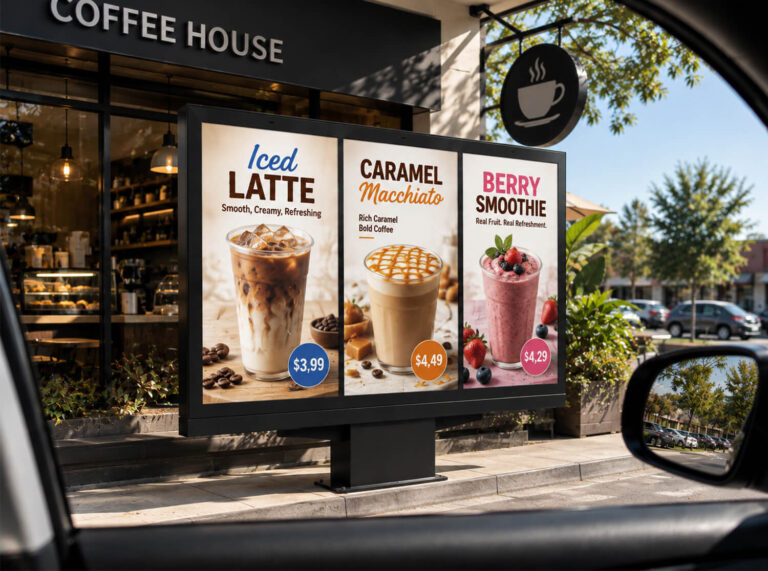
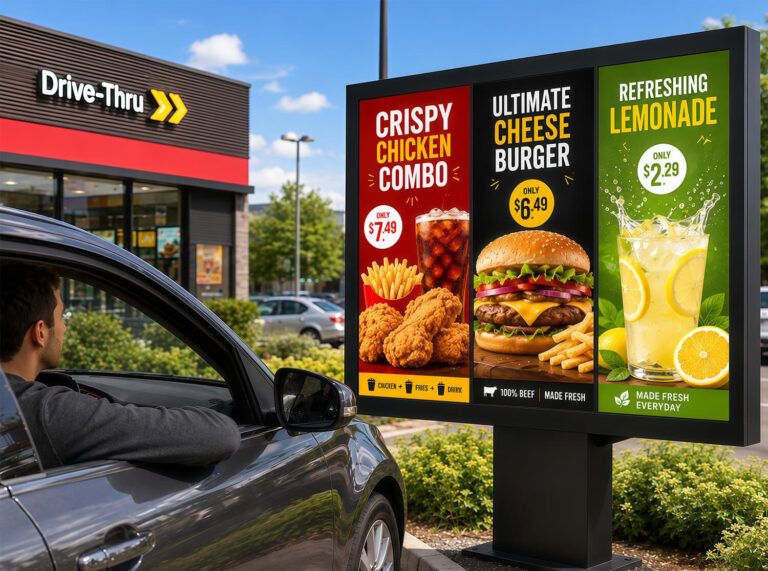
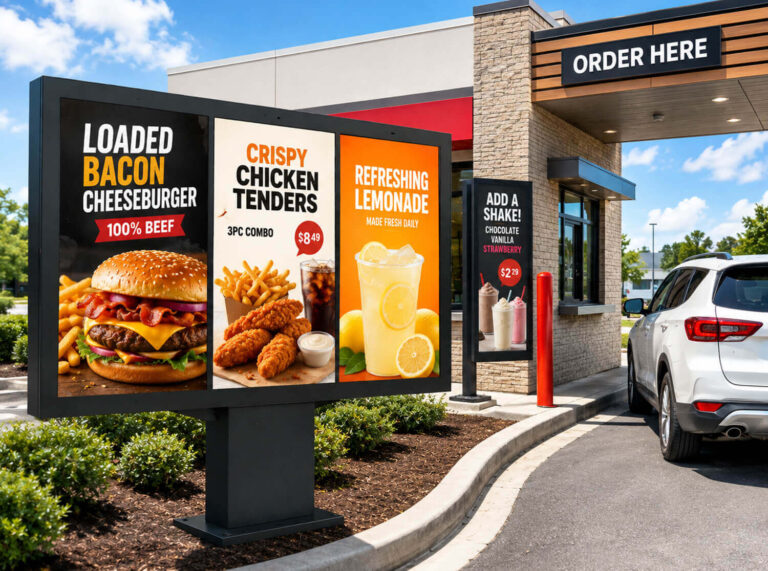
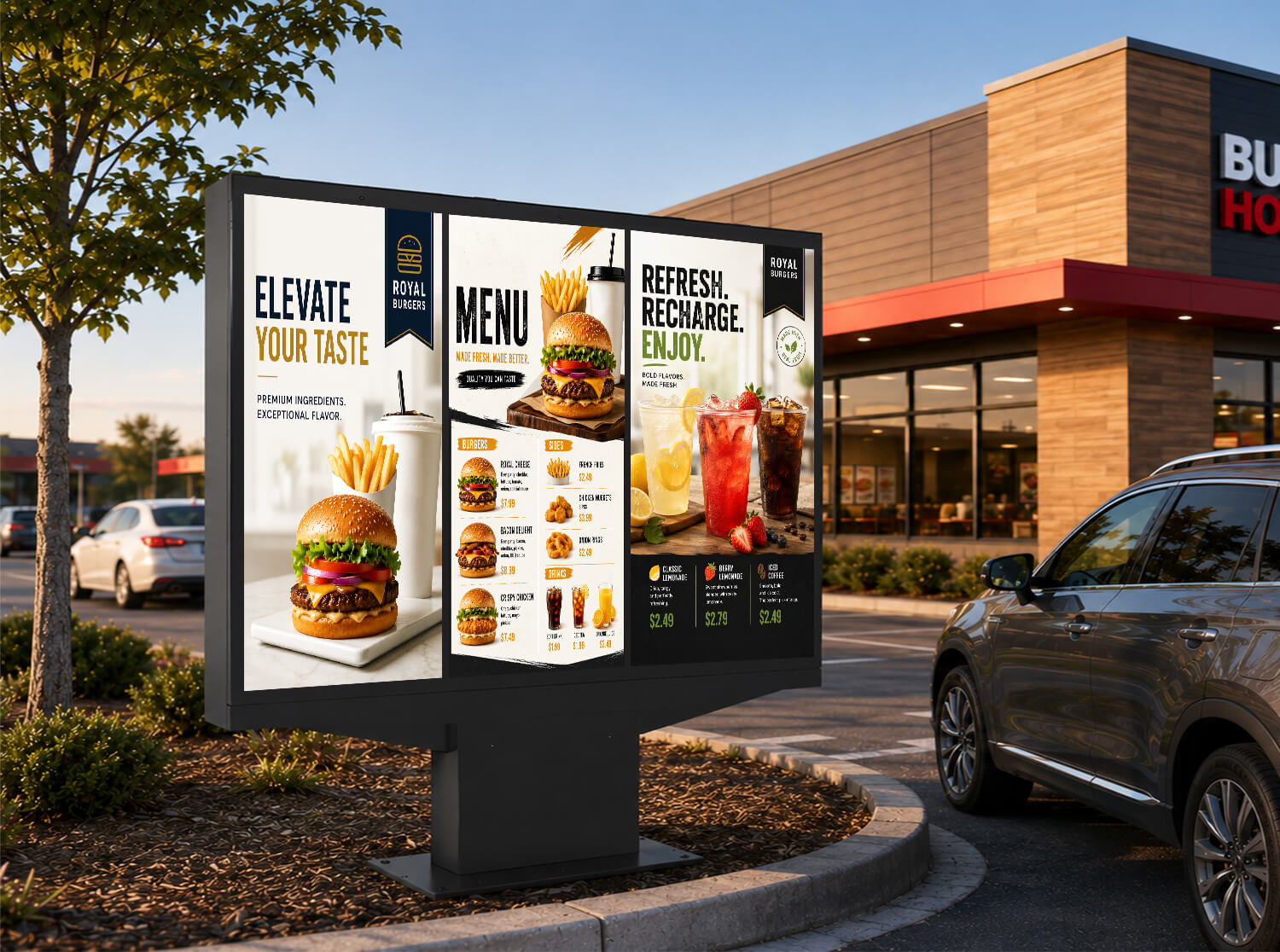
In terms of appearance, a digital drive-thru menu board is typically a high-brightness outdoor display installed alongside a vehicle lane, designed specifically for drive-thru environments. Compared with standard digital signage, it is usually larger in size and built to withstand direct sunlight, rain, temperature fluctuations, and continuous outdoor operation. It is used to display menu items, pricing, promotional videos, and branded content in a clear and engaging way.
A digital drive-thru menu board is an outdoor-rated digital display system installed at the drive-thru ordering point, replacing traditional printed or backlit menu panels with dynamic electronic content. Unlike static menu boards, it allows operators to update menu items, prices, and promotions remotely through content management software, eliminating the need for manual replacement of printed materials.
It is important to understand that a drive-thru menu board is not simply a larger version of other digital menu displays. It belongs to the same broader category as digital menu solutions used in food trucks, restaurants, and indoor counters, but each format is designed for a specific environment. Factors such as viewing distance, installation location, weather exposure, and operating conditions determine the right display solution. A screen designed for a food truck window, for example, may not provide the brightness, durability, or viewing experience required for a drive-thru lane.
2.Drive thru menu board design
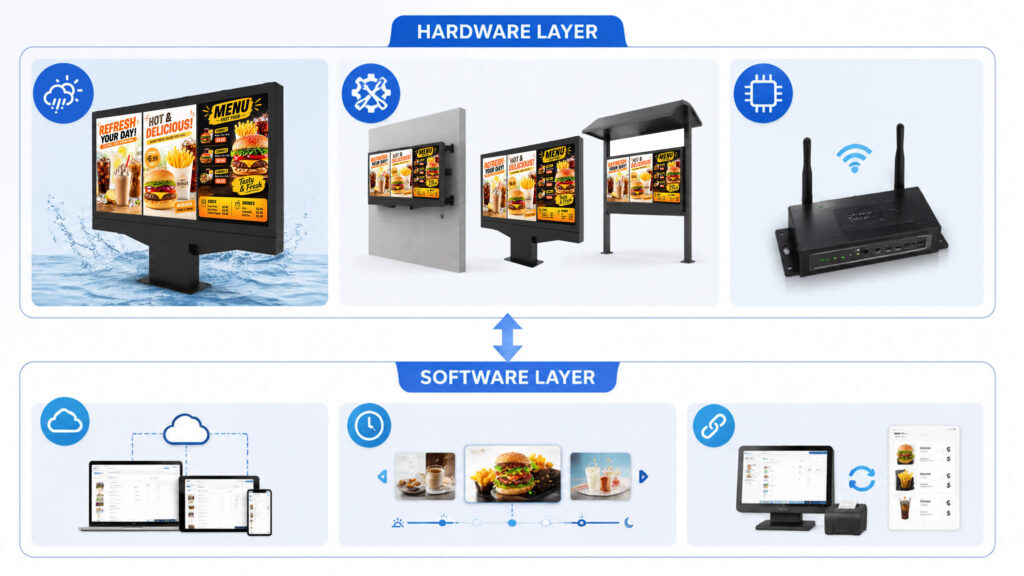
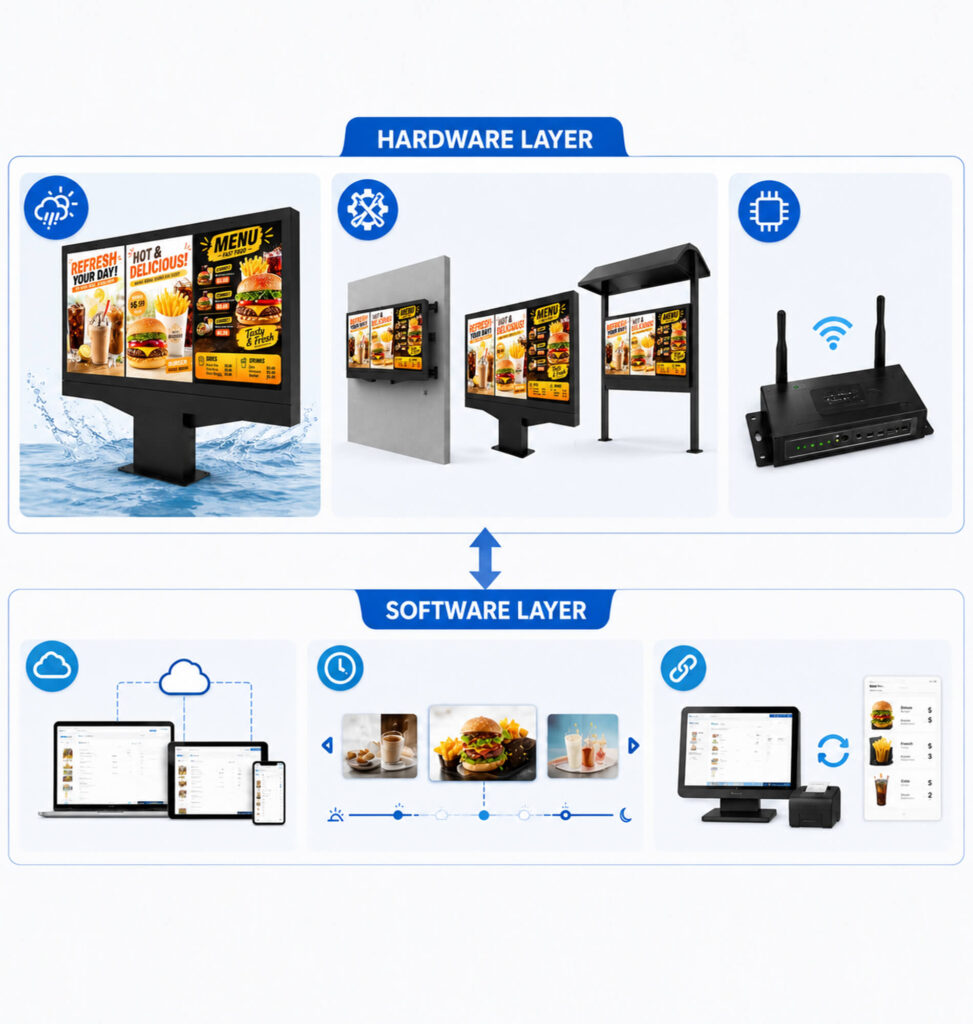
A professional digital drive-thru menu board is an integrated system consisting of high-durability outdoor hardware, flexible content management software, and precise structural engineering designed to operate 24/7 in harsh environments. A digital drive-thru menu board is made up of two layers that work together:
Hardware
- Commercial-Grade Outdoor Display: High-brightness commercial LCD/LED panels (typically 2,500 to 3,500 nits) equipped with automatic light sensors to ensure high readability in direct sunlight while reducing glare at night.
- Thermal & Climate Management: Built-in heating and cooling systems (fan-cooled or air-conditioned enclosures) that maintain optimal internal operating temperatures between -30°C to 50°C (-22°F to 122°F), preventing screen blackouts or component overheating.
- Ruggedized Enclosure & Protection: Fully sealed steel or aluminum housing rated IP65 or IP66 for dust and water protection, featuring IK10-rated impact-resistant tempered glass to resist vandalism and gravel strikes.
- Multiple installation methods:A mounting structure — wall-mounted, pole-mounted, or canopy-integrated, depending on the drive-thru layout
- Media Player / Control Unit: Industrial-grade media players (Android, Linux, or Windows-based) supporting high-efficiency video decoding (4K@60Hz), equipped with watchdog timers for automatic remote reboots during failures.
Software
- Cloud Content Management System (CMS): A centralized CMS platform allowing multi-unit franchisees or corporate offices to update menus, pricing, and high-resolution visuals across single or thousands of store locations within seconds.
- Smart Dayparting & Scheduling: Automated switching between breakfast, lunch, dinner, and late-night menus based on local time and site-specific operational rules.
- POS & Inventory Synchronization: Two-way integration with Point of Sale (POS) systems enabling dynamic pricing updates, auto-hiding out-of-stock items, and displaying order confirmation summaries directly to drivers.
- AI & Personalization Engine (Optional): Dynamic content rendering powered by license plate recognition (LPR), weather triggers (e.g., promoting iced beverages during heatwaves), or customer order histories.
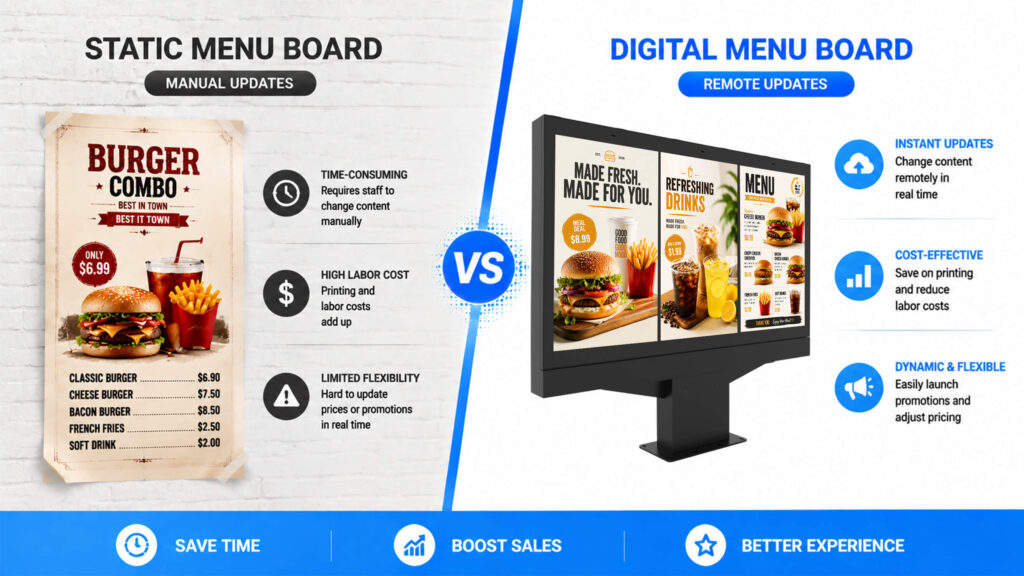
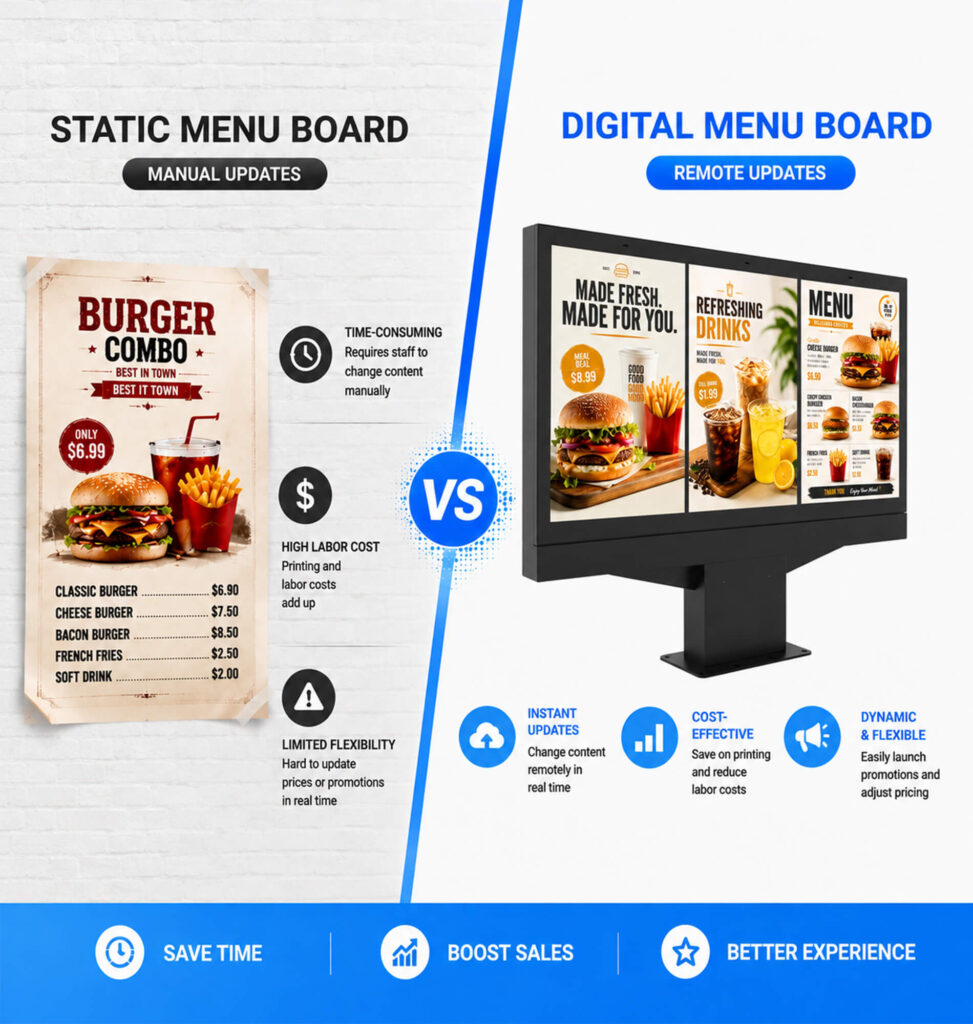
The key operational shift from a traditional menu board is how content gets updated. A backlit or printed board requires a physical panel swap for any price or menu change. A digital board pushes that update from a dashboard — to one location or hundreds, at once.
3.Digital vs. Static Drive-Thru Menu Boards:
| contrast | Static / Backlit Menu Board | Digital Menu Board |
|---|---|---|
| Content updates | Manual panel replacement | Remote, software-based |
| Promotional flexibility | Limited — requires reprinting | High — dayparting, limited-time offers, A/B testing |
| Visual consistency across locations | Depends on print quality control | Centrally managed |
| Upfront cost | Lower | Higher |
| Long-term operating cost | Recurring print/replacement costs | Software licensing, but lower physical maintenance |
We’ll go deeper on the cost comparison in a dedicated article — the short version is that the calculus depends heavily on how often you change pricing or promotions, and how many locations you’re managing.
4.Common Deployment Scenarios
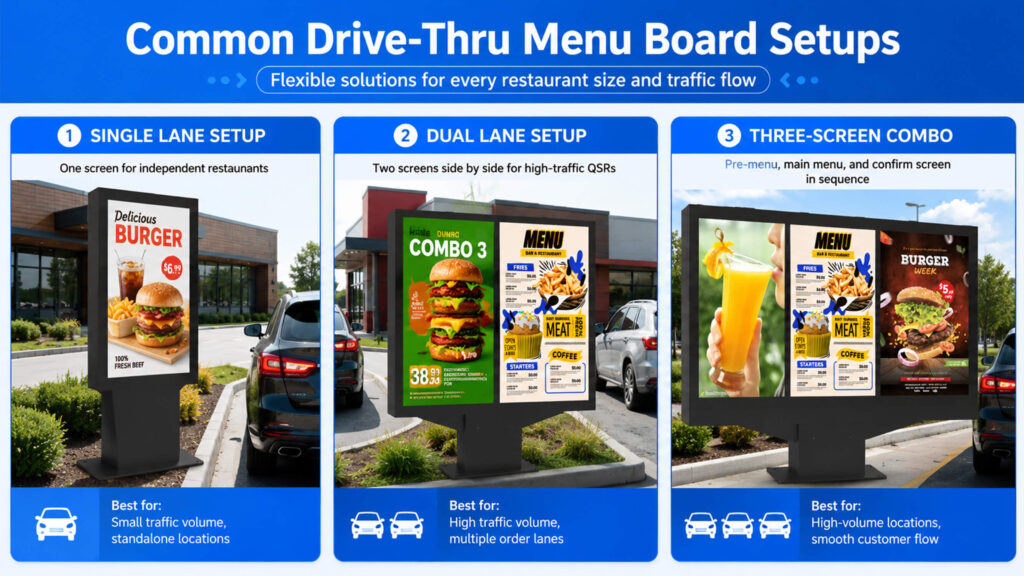
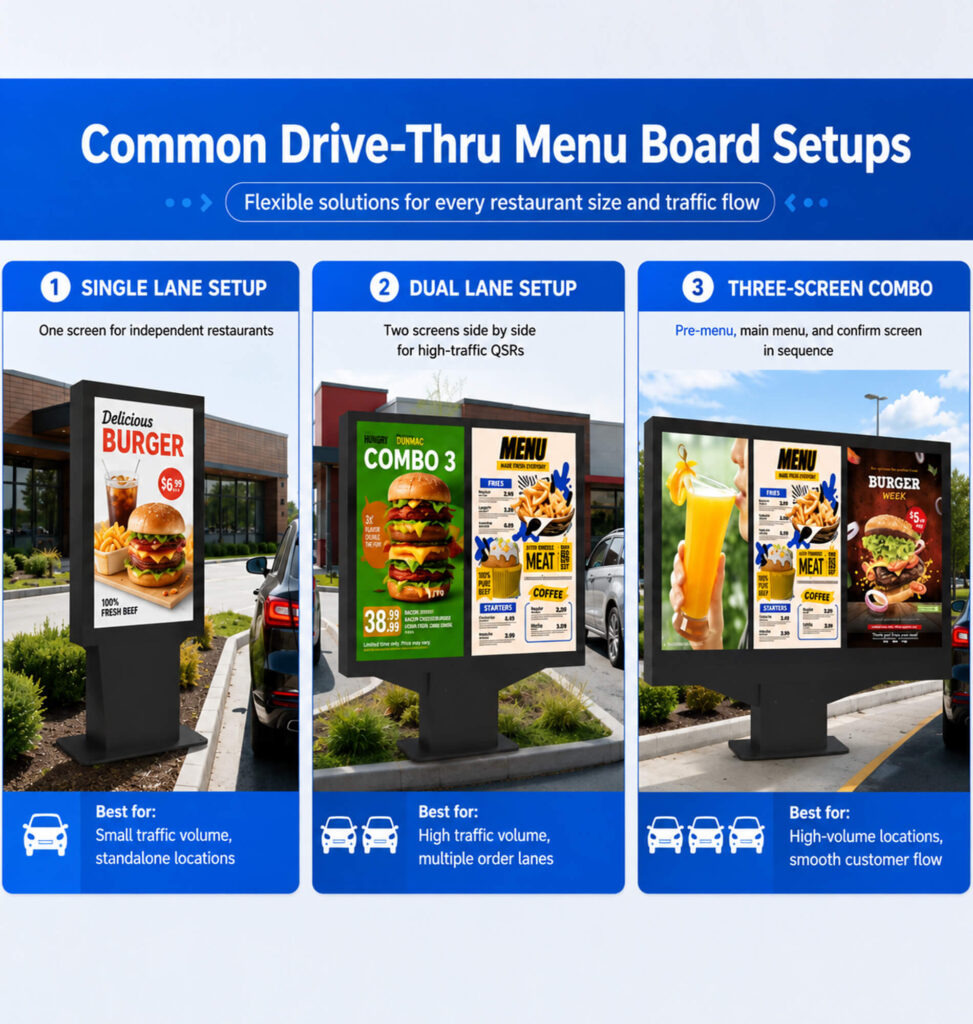
Digital drive-thru menu boards typically show up in a few configurations:
- Single-lane setups, common for independent restaurants or smaller footprints
- Dual-lane setups, where two screens serve parallel order lanes — common at higher-volume QSR locations
- Multi-screen sequences, combining an outdoor pre-menu board with a main menu board and a confirmation screen near the order window
Some deployments also connect the menu board to the point-of-sale (POS) system, so pricing updates and order confirmation on-screen stay in sync with what’s rung up at checkout. We’ll cover that integration in more detail in a separate article.
5.LCD vs. LED Drive-Thru Menu Board
Once you start researching “digital” menu boards, you’ll run into two different screen technologies: LCD and LED. Both are used in real drive-thru deployments, but they’re suited to different situations.
LCD (liquid crystal display) screens are the more common choice for drive-thru menu boards. They offer sharp resolution at a smaller physical size, which matters at the typical drive-thru viewing distance (a driver reading a menu from a car window, not from across a parking lot). LCD panels also tend to have a lower upfront cost at menu-board scale and are widely supported by commercial digital signage software.
LED (light-emitting diode) displays are built from individual light-emitting modules rather than a backlit panel. They’re brighter and more visible in direct, harsh sunlight, and they scale well to very large sizes — which is why you’ll see them used for big-format outdoor signage. For a standard single or dual-lane drive-thru menu board, though, LED’s larger practical pixel pitch usually means lower resolution at close viewing distance, and the larger module sizes generally cost more for a menu-board-sized screen.
| contrast | LCD | LED |
|---|---|---|
| Typical use case | Standard drive-thru menu boards | Large-format outdoor signage |
| Resolution at close range | Higher | Lower (larger pixel pitch) |
| Direct sunlight visibility | Good, with adequate brightness rating | Excellent |
| Cost at menu-board size | Generally lower | Generally higher |
For most single- or dual-lane drive-thru deployments, LCD is the more common and more cost-effective choice. LED becomes worth considering mainly for very large boards or extremely bright, unshaded locations — something to weigh with a vendor based on your specific site conditions.
6.Who’s Adopting Drive-Thru Menu Board
Digital drive-thru menu boards were once mostly a large-chain investment, but that’s shifting. Rising labor costs are pushing operators toward tools that reduce manual work — including menu updates. And as drive-thru order volume continues to make up a larger share of QSR transactions industry-wide, operators of all sizes are taking a closer look at anything that can speed up ordering or lift average ticket size without adding staff.
This isn’t exclusive to national chains anymore. Independent operators and small regional groups are increasingly evaluating digital menu boards as part of broader drive-thru modernization plans.
7. Why the Shift Is Accelerating Now
Several converging factors are pushing digital adoption past the early-adopter phase:
- Labor economics: With QSR labor costs continuing to climb, eliminating manual menu-panel swaps and enabling centralized price updates has moved from “nice to have” to a measurable line-item saving — especially for multi-location operators.
- Hardware costs have come down: Outdoor-rated commercial displays that once required custom fabrication are now available as more standardized, IP65/IP66-rated products, narrowing the price gap with static lightboxes.
- Drive-thru’s growing share of revenue: As drive-thru continues to account for a larger portion of total QSR transactions, even small gains in order speed or average ticket size compound quickly across high-volume lanes.
- Franchise-level standardization pressure: Corporate and franchise groups increasingly want consistent pricing and branding across every location in real time — something print-based updates can’t reliably guarantee.
Together, these factors are why digital menu boards are no longer viewed strictly as a large-chain investment, and why mid-size and independent operators are increasingly building it into their modernization roadmap.
8.FAQ
Is a digital drive-thru menu board the same as a regular digital signage screen?
Not quite. It runs on similar underlying technology, but a drive-thru menu board is outdoor-rated for direct weather exposure and built for a specific viewing distance and angle from a vehicle — requirements that indoor or general-purpose digital signage isn’t necessarily designed to meet.
Do digital menu boards work with existing POS systems?
Many do, though the level of integration varies by vendor — from basic content display up to real-time price and inventory syncing with your POS. It’s worth confirming compatibility with your specific POS provider before purchasing.
How long does a digital drive-thru menu board typically last?
This depends heavily on the screen’s outdoor rating, brightness, and build quality, as well as your local climate. It’s a question worth asking any vendor directly, since claims vary widely across the market.
Can a single vendor handle both the screen and the software?
Some vendors offer both hardware and CMS software as a bundle; others specialize in one or the other. Either can work — the more important question is how well the two integrate and who provides ongoing support.
Is switching to a digital menu board a big installation project?
It varies by site — a simple screen swap is more involved than reprinting a panel, but it’s typically far less disruptive than a full canopy or structural rebuild. We cover what installation actually involves in a separate article.
9.Where to Go From Here
A digital drive-thru menu board, at its core, is an outdoor display paired with content management software that replaces manual menu updates with remote, centralized control. The bigger question for most operators isn’t what it is — it’s whether switching makes sense for their specific setup, and how to choose the right one.
If you are considering an upgrade, our next article will provide a detailed analysis of the tangible benefits and trade-offs involved in switching from static menu boards to digital drive-thru menu boards; if you have already decided to go digital and wish to narrow down your options, we will provide detailed product information to help you make your choice.