For restaurants and quick-service restaurant (QSR) brands, digital transformation is changing the way customers interact with drive-thru ordering systems.
Traditional printed menu boards are gradually being replaced by digital drive-thru menu boards that allow restaurants to update prices instantly, promote seasonal offers, improve menu visibility, and create a more efficient ordering experience.
However, one of the most common questions restaurant owners and project managers ask before upgrading is:
How much does a digital drive-thru menu board cost?
The answer is not as simple as the price of a display screen.
A professional digital drive-thru menu board system includes much more than the outdoor display itself. The total investment may include high-brightness screens, weatherproof protection, mounting structures, media players, content management software, installation, and optional POS integration.
In 2026, the cost of a digital drive-thru menu board can range from several thousand dollars for a basic single-display solution to tens of thousands of dollars for a complete multi-location deployment.
This guide explains the major cost factors behind digital drive-thru menu boards and helps businesses understand what they are actually paying for before making a purchase decision.
How Much Does a Digital Drive-Thru Menu Board Cost?
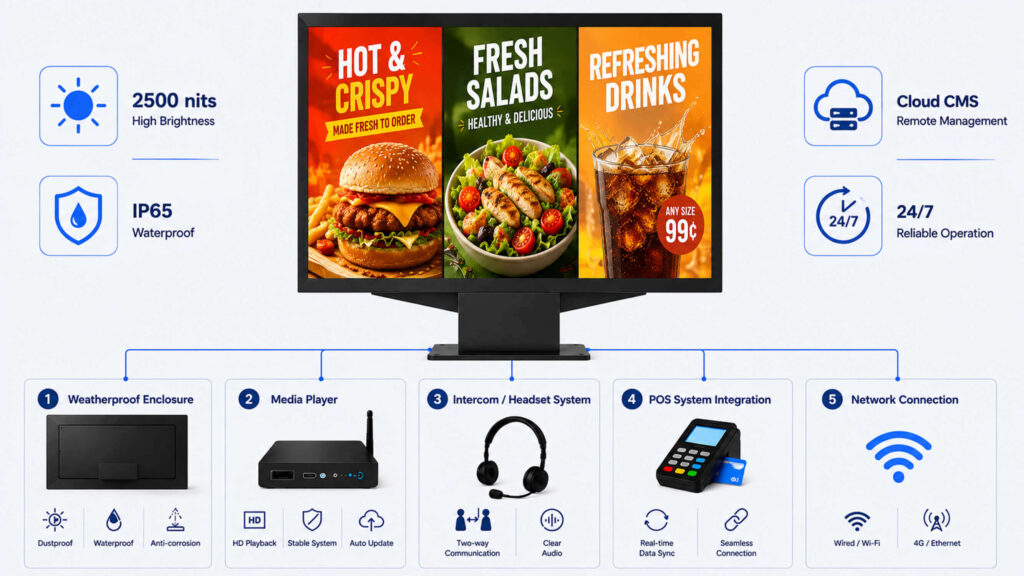
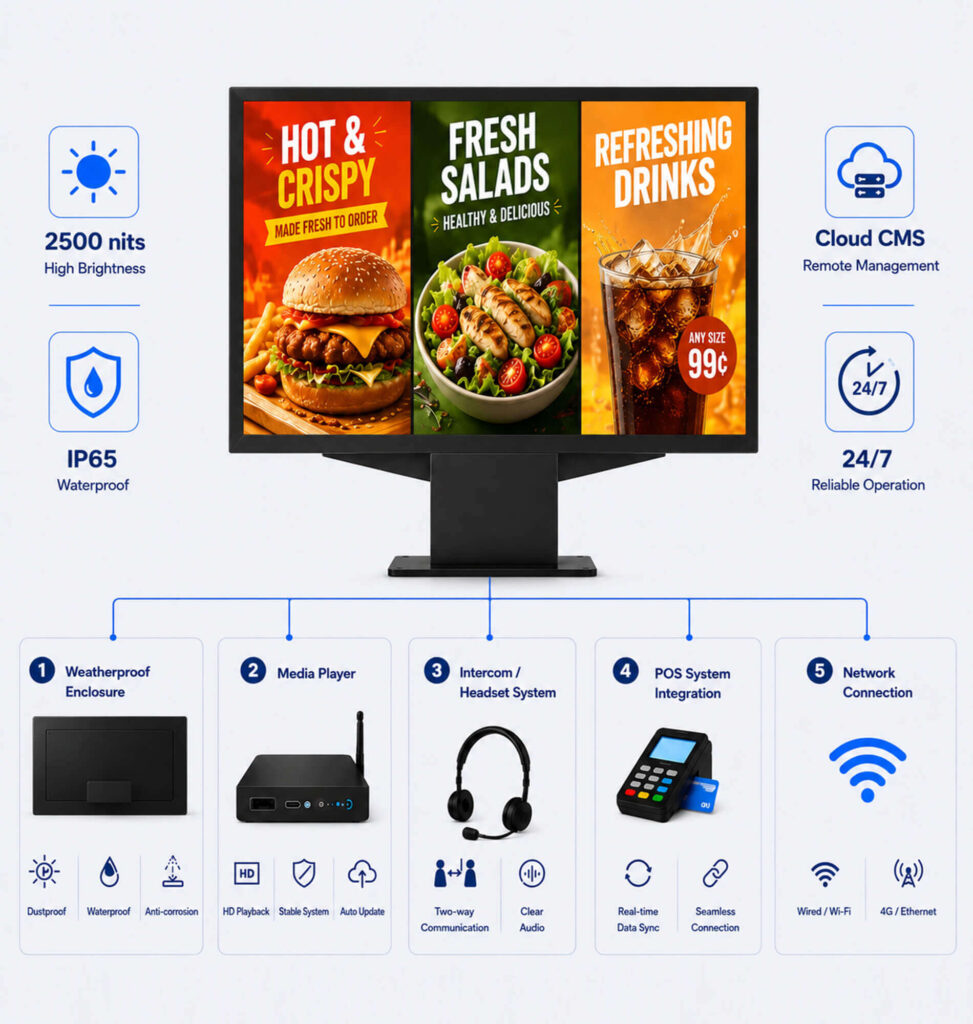
The average cost of a digital drive-thru menu board depends on the system configuration, display specifications, and installation requirements.A general price range is:
| Category | Item / Sub-category | Estimated Price Range (USD) | Pricing Model & Features |
| Core Menu Boards (Hardware) | Traditional Static Lightbox | $1,150 – $4,000 | One-time purchase; weather-resistant, suited for fixed menus |
| Outdoor Digital Screen | $1,800 – $4,500+ / screen | One-time purchase; high brightness (2500–4000 nits, IP66 waterproof) | |
| Triple-Display Digital Board | $4,000 – $15,000+ | One-time purchase; standard multi-screen configuration for busy lanes | |
| Software & Integration | Cloud-Based CMS Software | $20 – $150 | Monthly subscription per screen; remote dynamic updating & scheduling |
| POS System Integration | $500 – $3,000 | One-time setup (+ optional monthly fee); real-time menu item & price sync | |
| Drive-Thru Accessories | Intercom & Headset System | $3,000 – $7,000 | Package price; includes post microphone, base station, and wireless headsets |
| Order Confirmation System (OCS) | $500 – $2,000 | One-time purchase; displays order summary and totals directly to customer | |
| Clearance Bar & Canopy | $800 – $15,000 | One-time purchase; height protection, weather shelter, and lighting | |
| Installation & Design Services | On-site Installation & Cabling | $1,500 – $5,000 | Per project; includes electrical work, trenching, and mounting |
| Menu UI / Graphic Design | $20 – $2,500 | One-time (templates ~$20–$100; custom agency designs up to $2,500) |
These prices are estimates because every drive-thru project has different requirements.
For example, a restaurant replacing an existing menu board may only need a display upgrade, while a new drive-thru construction project may require additional infrastructure, electrical work, and customized mounting solutions.
The final cost is usually influenced by:
- Display size
- Brightness requirements
- Outdoor durability
- Display technology
- Software features
- Installation complexity
- Customization requirements
What Is Included in the Cost of a Digital Drive-Thru Menu Board?
Many buyers compare suppliers based only on the display price. However, a reliable drive-thru solution is a complete system made up of several components.
Understanding each cost element helps businesses make better purchasing decisions.
1. Outdoor High-Brightness Display Cost
The display is usually the largest hardware investment in a digital drive-thru menu board system.
Unlike indoor digital signage, outdoor drive-thru displays must remain readable under direct sunlight and operate reliably in changing weather conditions.
Key factors affecting display cost include:
Screen Size
Common digital drive-thru menu board sizes include:43 inches/49 inches/55 inches/65 inches and larger
The ideal screen size depends on:
- Vehicle viewing distance
- Drive-thru lane design
- Amount of menu information
- Brand layout requirements
A larger screen does not always provide a better experience. The goal is to ensure customers can easily read menu items and prices from their vehicles.
Brightness Level
Brightness is one of the most important differences between indoor and outdoor displays.
A standard commercial display may not perform well in outdoor environments because sunlight can reduce image visibility.
Professional digital drive-thru menu boards typically require higher brightness levels to maintain clear images throughout the day.
The required brightness depends on:
- Installation location
- Amount of direct sunlight
- Viewing distance
- Weather conditions
Choosing the correct brightness level helps balance visibility and energy efficiency
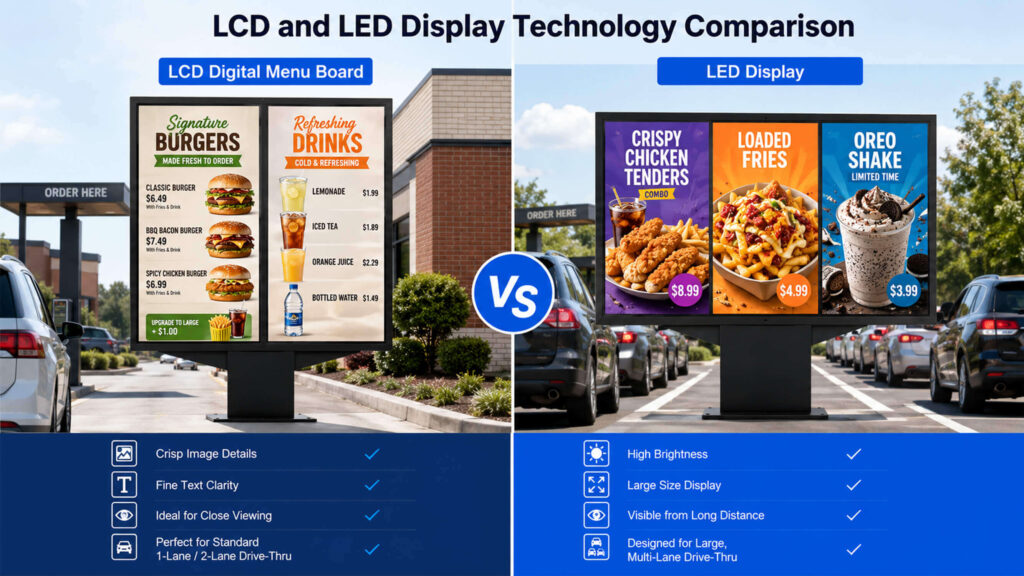
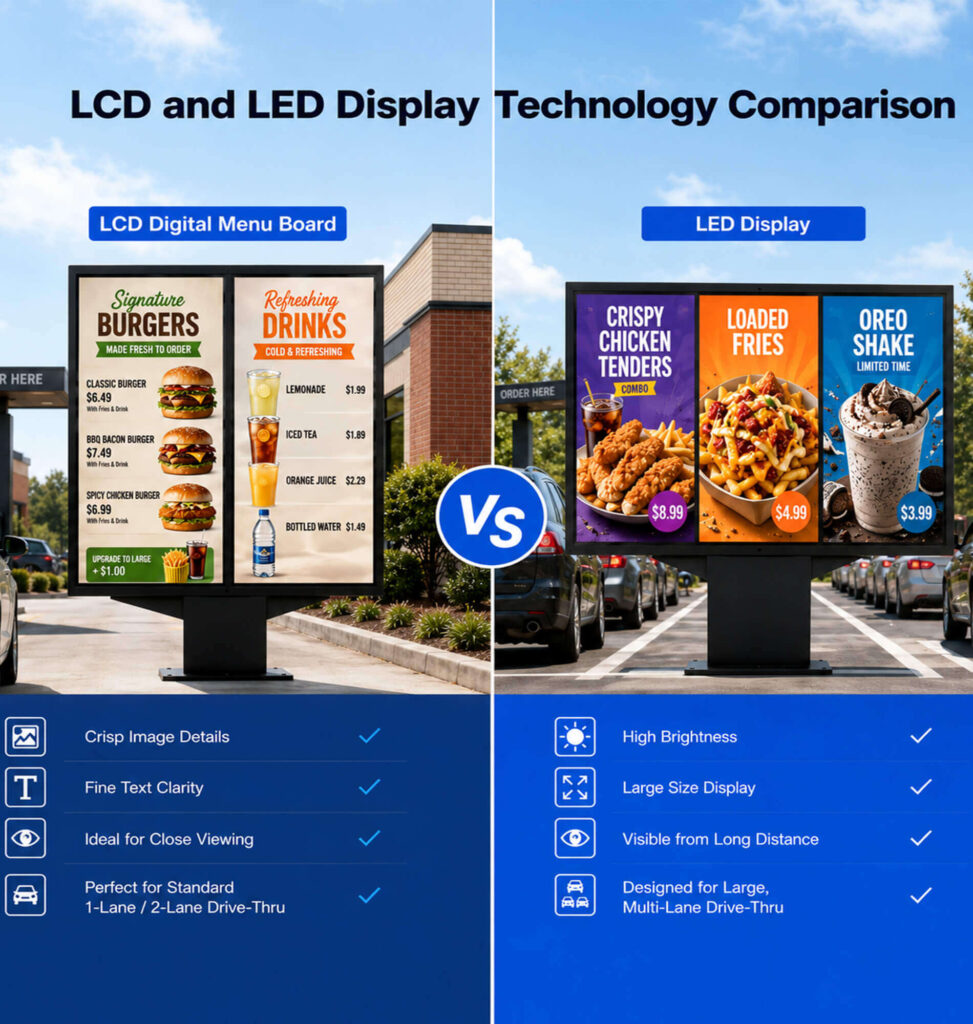
Digital drive-thru menu boards are commonly built using LCD or LED display technologies.
| Feature | LCD Digital Menu Board | LED Digital Menu Board |
|---|---|---|
| Initial Cost | Lower | Higher |
| Image Detail | Excellent at close distance | Excellent for larger viewing distances |
| Brightness Capability | High | Very High |
| Maintenance Method | Full screen replacement | Modular repair |
LCD solutions are often preferred for restaurants looking for cost-effective menu displays.
LED solutions are commonly used for larger outdoor applications where higher brightness and wider viewing distance are required.
2. Weatherproof Enclosure and Outdoor Protection Cost
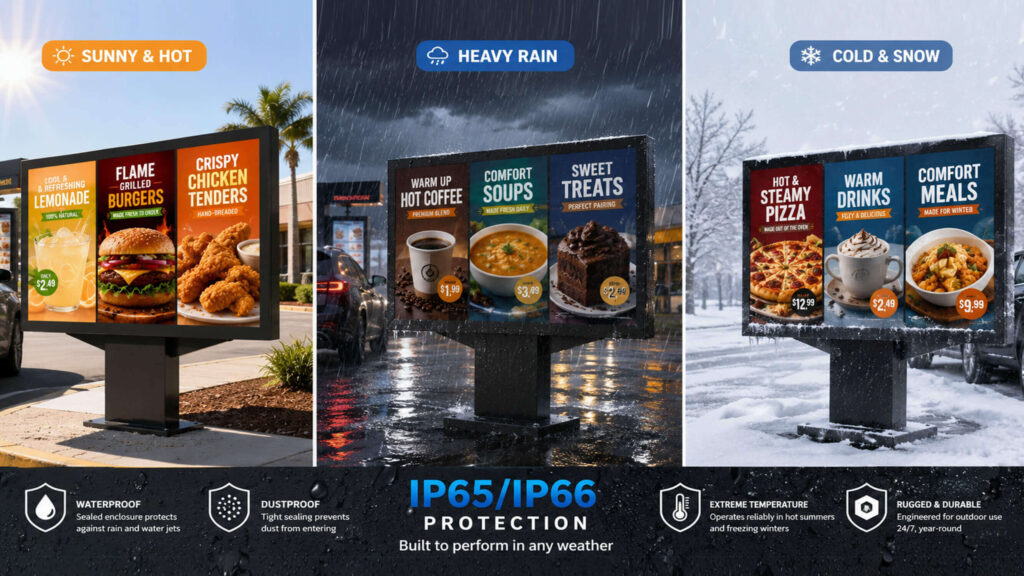
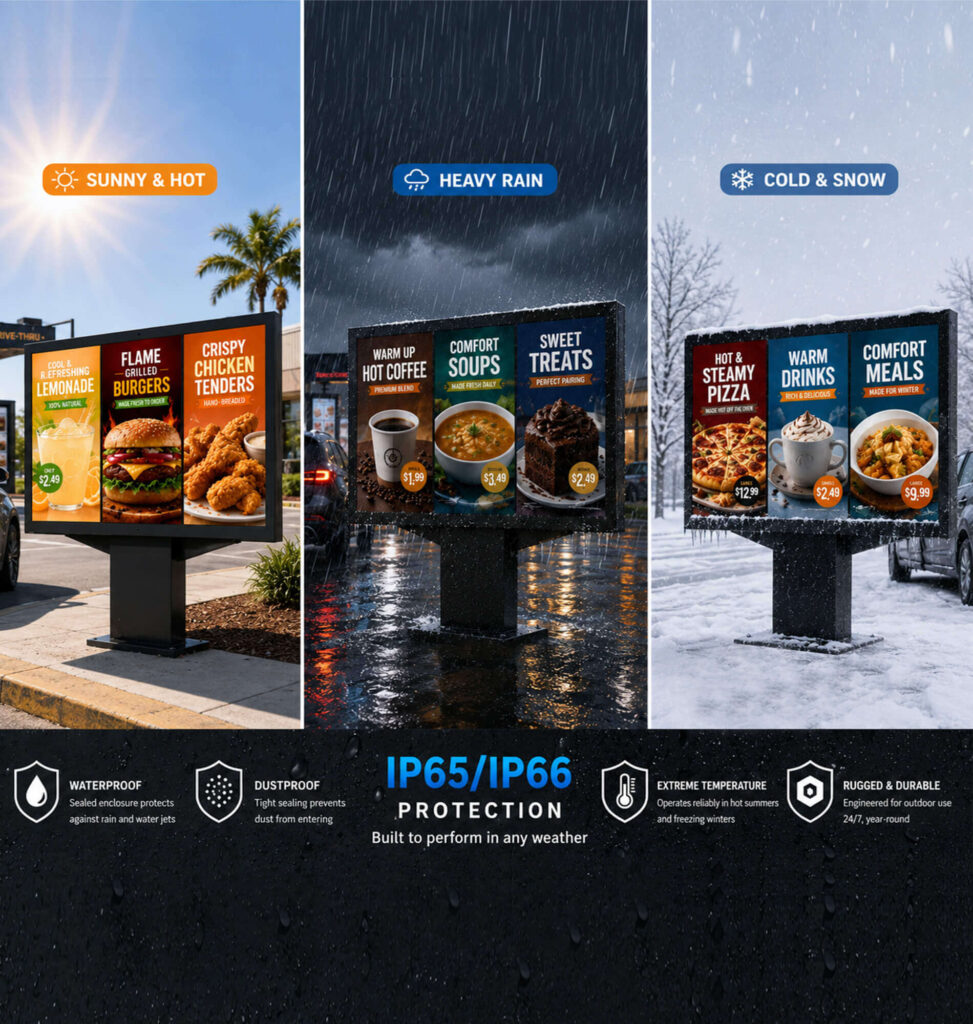
One of the biggest differences between indoor digital signage and a digital drive-thru menu board is the level of environmental protection required.
A drive-thru display operates outdoors for long periods and must continue working reliably despite exposure to sunlight, rain, dust, humidity, and seasonal temperature changes.
To achieve this reliability, professional outdoor menu board systems usually require specially designed protection solutions, including weather-resistant enclosures, thermal management systems, and durable outdoor-grade materials.
Although these features increase the initial cost, they are essential for reducing maintenance requirements and extending the service life of the equipment.
A lower-cost display without proper outdoor protection may result in higher long-term expenses due to frequent repairs, component failures, or reduced operational lifespan.
For restaurant operators, durability should be considered part of the investment rather than an additional expense.
3. Media Player and Digital Signage Software Cost
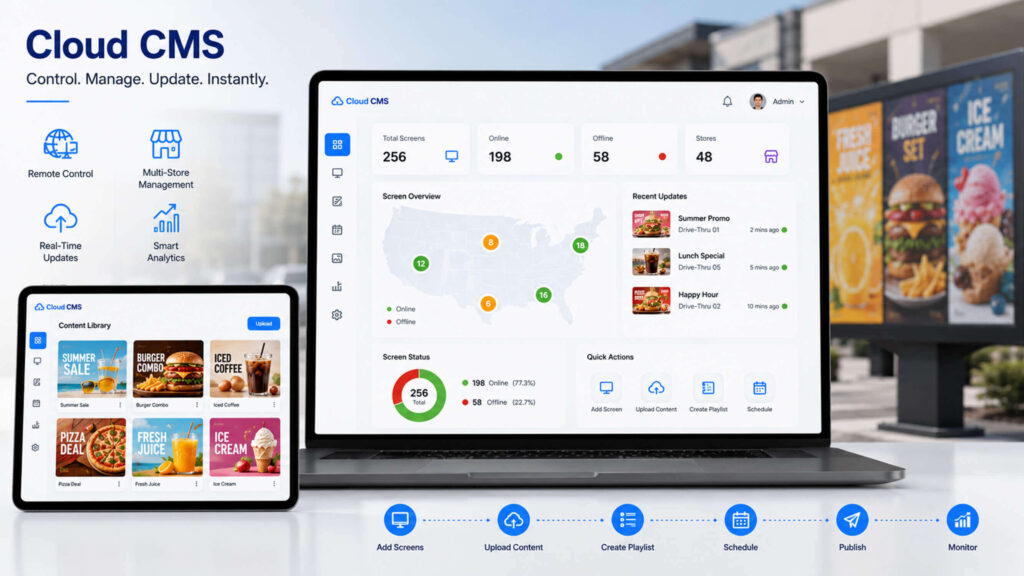
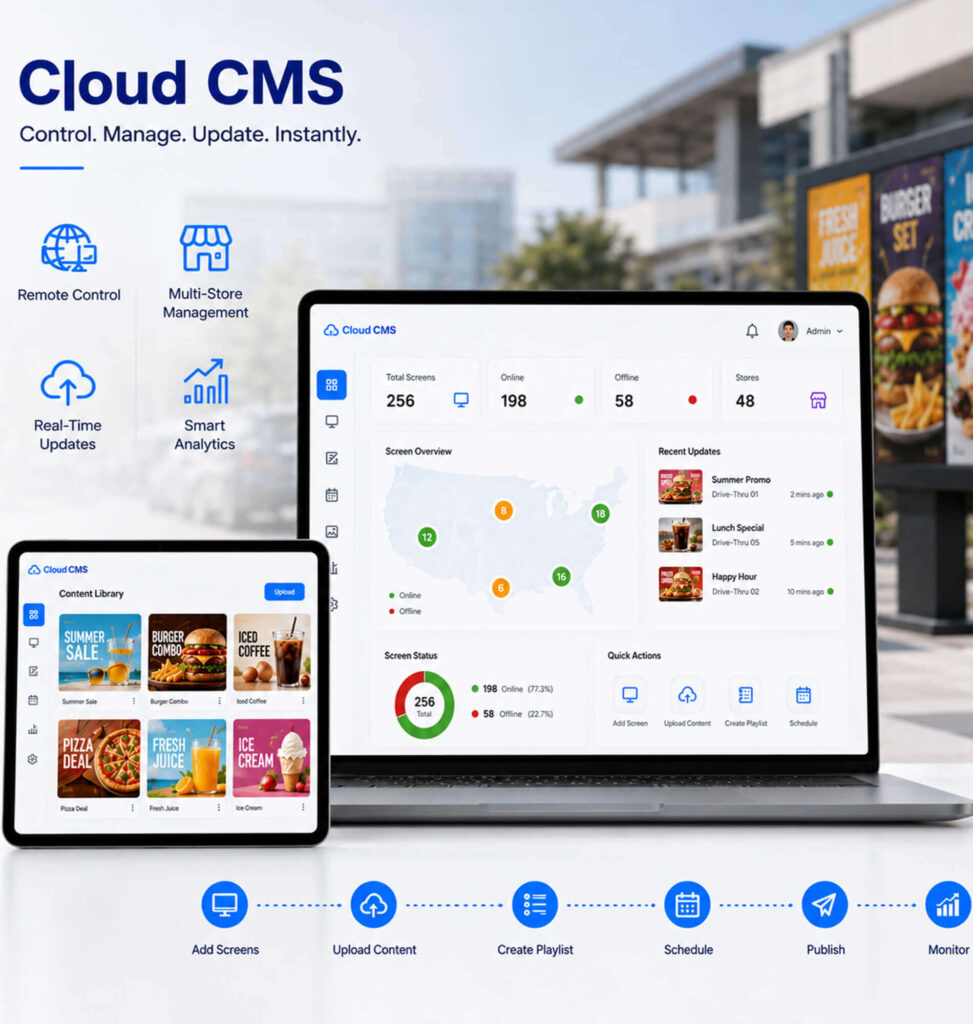
A modern digital drive-thru menu board is more than a display device. It is also a digital content management system that helps restaurants control menu information, promotions, and customer communication.
The software component can influence the overall project cost depending on the level of management features required.
For a single restaurant location, a basic content management system may be enough. Restaurant operators can upload images, videos, and menu layouts, then schedule updates when needed.
However, for multi-location QSR brands, software requirements become more advanced. Franchise operators often need centralized control to manage menus across hundreds of locations, ensure consistent branding, and update promotions quickly across different markets.
A professional digital signage platform may include features such as remote content management, scheduled playlist changes, multi-location control, and performance monitoring.
The value of software is not only convenience. It also reduces operational workload by allowing restaurant teams to update menus digitally instead of manually replacing printed materials.
4. Installation and Infrastructure Cost
Installation is another important part of the total investment that is often underestimated by buyers.
The price of a digital drive-thru menu board project is not determined only by the equipment itself. The installation environment can significantly affect the final budget.
A simple replacement project at an existing drive-thru location may require minimal work because electrical connections and mounting positions are already available.
However, a new drive-thru construction project may involve additional preparation, including structural installation, electrical wiring, network configuration, and site adjustments.
The complexity of installation usually depends on:
- Existing site conditions
- Mounting requirements
- Distance from power and network sources
- Number of menu boards required
- Local installation regulations
For this reason, businesses should evaluate installation requirements at the beginning of the project instead of treating it as an afterthought.
A properly installed system not only improves appearance but also helps ensure stable operation and easier future maintenance.
5. POS Integration and Customization Cost
Many restaurants choose digital drive-thru menu boards because they want better integration with their existing ordering systems.
POS integration allows menu information to update automatically, including:
- Product availability
- Prices
- Promotions
- Menu changes
This reduces manual updates and helps avoid pricing inconsistencies.
However, advanced integrations may require additional software development and customization, which can increase project costs.
What Factors Affect Digital Drive-Thru Menu Board Pricing?
Although hardware specifications are important, many other factors influence the final cost of a digital drive-thru menu board system.Understanding these factors helps buyers select a solution that matches their actual operating environment.
1. Installation Environment and Outdoor Conditions
The location where the digital drive-thru menu board will be installed directly affects the required specifications.
A menu board placed under partial shade may have different brightness requirements compared with one exposed to direct sunlight throughout the day.
Climate conditions also influence product selection. Locations with extreme heat, cold temperatures, heavy rain, or high humidity may require stronger protection designs and additional thermal management features.
Before purchasing, businesses should evaluate the actual installation environment rather than selecting specifications based only on general recommendations.
A solution designed specifically for the site conditions will usually provide better performance and a longer service life.
2. Brightness and Visibility Requirements
Brightness is one of the most critical performance factors for outdoor menu displays.
The purpose of a digital drive-thru menu board is to provide customers with clear and readable information from their vehicles. If the screen cannot maintain visibility during daytime conditions, even a high-quality display may fail to deliver the expected user experience.
The required brightness depends on:
- Viewing distance
- Sunlight exposure
- Screen size
- Installation direction
A professional supplier should help customers choose the appropriate brightness level instead of simply recommending the highest specification.
The goal is to achieve clear visibility while maintaining energy efficiency and reasonable operating costs.
3. Number of Screens and Drive-Thru Lanes
The scale of the installation has a direct impact on total project cost.
A small restaurant may only require one digital menu display, while a large QSR location may need multiple screens for different purposes.
For example, some businesses may install additional displays for:
- Menu categories
- Promotional content
- Order confirmation
- Multiple drive-thru lanes
As the number of displays increases, the project requires more hardware, installation work, and content management capability.
Therefore, businesses should plan not only for current needs but also potential future expansion.
4. Custom Design and Branding Requirements
Many restaurant brands have specific requirements for appearance and functionality.
Instead of using standard display solutions, some projects may require customized designs, such as unique enclosure shapes, special screen dimensions, branded structures, or integration with existing restaurant systems.
Customization allows businesses to create a consistent brand experience across locations.
However, customized solutions usually require additional engineering, production time, and testing, which can increase the overall investment.
The key is finding the right balance between brand requirements and project budget.
What Are the Hidden Costs of a Digital Drive-Thru Menu Board?
When calculating the cost of a digital drive-thru menu board, many businesses focus only on the initial purchase price.
However, the real investment includes the long-term costs associated with operation, maintenance, and management.
Understanding these hidden costs helps companies make better purchasing decisions.
1.Maintenance and Technical Support
Outdoor electronic equipment requires ongoing support to maintain reliable performance.
Over time, businesses may need assistance with hardware inspection, software updates, troubleshooting, or component replacement.
Choosing a supplier with strong technical support capabilities can significantly reduce downtime and unexpected repair expenses.
A slightly higher initial investment in reliable equipment and professional support can often result in lower total ownership costs over the product lifecycle.
2.Energy Consumption and Operating Costs
Because digital drive-thru menu boards typically operate for long hours every day, energy efficiency should also be considered.
A display with optimized brightness control and efficient components can reduce unnecessary power consumption while maintaining good visibility.
Although energy costs may seem small compared with the initial purchase price, they accumulate over years of operation.
For businesses operating multiple locations, improving energy efficiency can create meaningful long-term savings.
3.Content Management and Menu Update Costs
Restaurants frequently update their menus due to seasonal promotions, price changes, and new product launches.
Traditional printed boards require physical replacement whenever information changes, which can create additional labor and material costs.
Digital drive-thru menu boards simplify this process by allowing restaurants to update content remotely through software.
For businesses with multiple locations, this flexibility can greatly improve operational efficiency and reduce the workload associated with menu management.
How to Choose a Cost-Effective Digital Drive-Thru Menu Board
The lowest purchase price does not always represent the best value.When selecting a solution, consider the following factors:
| Evaluation Factor | What to Consider |
|---|---|
| Display Specifications | Choose the right brightness, screen size, and viewing distance based on the installation environment. Avoid overpaying for unnecessary specifications or selecting a display that cannot meet outdoor visibility requirements. |
| Total Cost of Ownership (TCO) | Consider not only the initial purchase price but also installation, maintenance, energy consumption, and software costs throughout the product lifecycle. |
| LCD vs LED Technology | Select the display technology based on application needs. LCD is often more cost-effective for close viewing, while LED is suitable for larger screens and longer viewing distances. |
| Outdoor Durability | Ensure the system can withstand sunlight, rain, dust, humidity, and temperature changes for reliable long-term operation. |
| Software & CMS Capability | Choose a system that supports remote updates, content scheduling, and multi-location management to improve operational efficiency. |
| POS Integration | For larger restaurant brands, consider whether the menu board can integrate with existing POS systems for automatic menu and price updates. |
| Supplier Support | Evaluate the supplier’s experience, warranty policy, technical support, and ability to provide complete solutions. |
| Future Expansion | Select a scalable system that can support additional displays, more locations, or future drive-thru upgrades. |
Digital Drive-Thru Menu Board Budget Guide by Business Type
Independent Restaurants
Typical requirements:
- One location
- Basic menu management
- Single display solution
Estimated budget:$5,000 – $15,000+
Small and Medium QSR Chains
Typical requirements:
- Multiple locations
- Centralized content management
- More advanced features
Estimated budget:$15,000 – $50,000+
Enterprise Restaurant Brands
Typical requirements:
- Multiple lanes
- Custom solutions
- Advanced integration
Estimated budget:$50,000+
Digital Drive-Thru Menu Board Buying Checklist
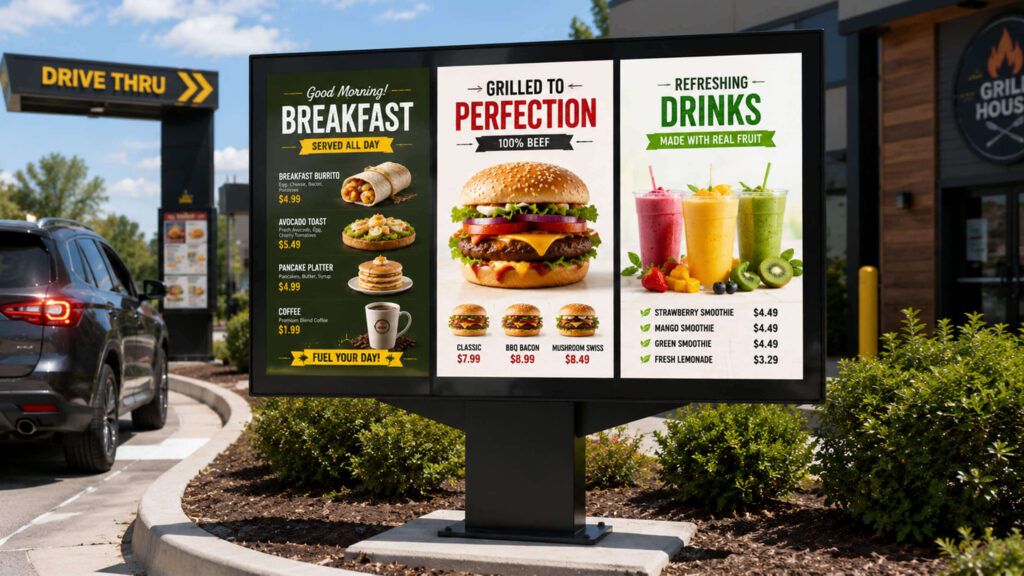
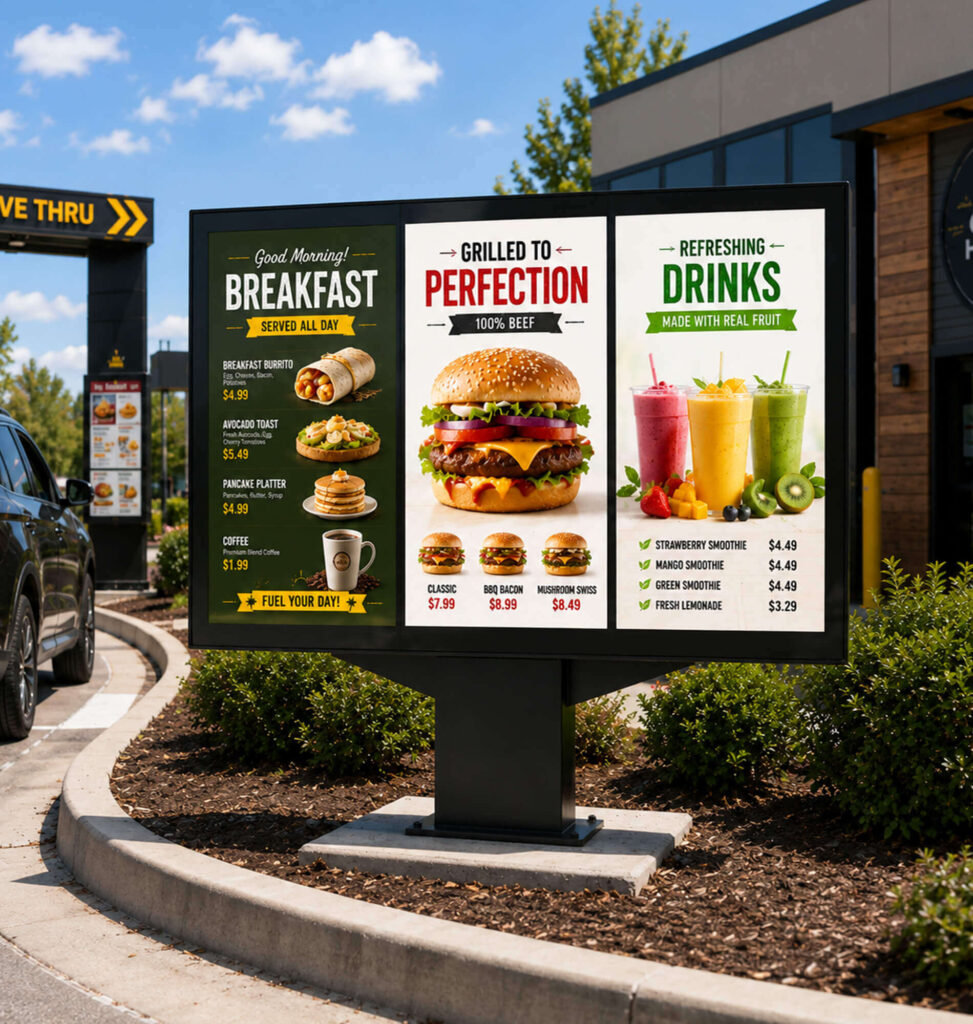
Before purchasing, evaluate:
✓ Outdoor brightness performance
✓ Weather protection capability
✓ Screen size and viewing distance
✓ LCD or LED technology choice
✓ Software management features
✓ POS integration options
✓ Installation requirements
✓ Warranty and technical support
✓ Future expansion capability
Conclusion
A digital drive-thru menu board is more than an outdoor display. It is a complete communication system that combines hardware, software, installation, and long-term operational support.
The final cost depends on many factors, including display technology, brightness, outdoor durability, software requirements, and installation conditions.
For restaurants planning a digital upgrade in 2026, the best investment is not simply choosing the lowest-priced option.
The right solution should deliver reliable outdoor performance, flexible content management, and long-term value for daily operations.
FAQ
Frequently Asked Questions About Digital Drive-Thru Menu Boards
1. Are digital drive-thru menu boards waterproof and suitable for outdoor use?
Yes. Digital drive-thru menu boards are designed for outdoor environments and are built with weather-resistant protection to ensure stable operation in different weather conditions.
A professional outdoor drive-thru display usually features a sealed enclosure with waterproof and dustproof protection, helping protect internal components from rain, moisture, dust, and temperature changes.
For QSR applications, it is recommended to choose displays with appropriate outdoor protection ratings, such as IP65 or higher, combined with effective thermal management systems to maintain reliable performance during hot summers, heavy rain, or cold weather conditions.
2. Does the digital drive-thru menu board include a stand or mounting structure?
It depends on the project requirements. The display can be supplied with or without a stand, depending on the installation environment.
For standard drive-thru projects, the menu board can be integrated with different mounting solutions, including:
- Ground-mounted poles or brackets
- Custom outdoor enclosures
- Existing drive-thru structures
If required, suppliers can provide complete solutions including the display, enclosure, and installation accessories. Customers can also choose their own mounting structure based on their site layout and local installation requirements.
3. Does the digital drive-thru menu board come with an intercom system?
The intercom system is usually not included as a standard component and needs to be purchased separately or integrated according to the project requirements.
A complete drive-thru solution typically consists of several parts:
- Digital menu display
- Media player
- Intercom/headset communication system
- POS system integration
- Content management software
Some projects require only the digital menu board, while others need a complete ordering communication system. The configuration can be customized based on the restaurant’s operational needs.
4. Can the digital drive-thru menu board be connected to a POS system?
Yes. Digital drive-thru menu boards can be integrated with POS systems depending on the software and system requirements.
POS integration allows restaurants to improve operational efficiency by enabling features such as:
- Real-time menu updates
- Automated price changes
- Promotion management
- Better order accuracy
For multi-location restaurant chains, cloud-based CMS platforms combined with POS integration make it easier to manage menus across multiple stores from a centralized system.
5. Can the screen be used independently without connecting to a complete drive-thru system?
Yes. The digital menu board can operate as an independent display solution.
A standalone configuration usually includes:
- Outdoor display screen
- Built-in or external media player
- Content management software
Restaurants can upload and update menu content without installing a full intercom or POS integration system.
This option is suitable for businesses that only need digital menu presentation, advertising display, or promotional content management.
6. Can the digital drive-thru menu board be customized according to different restaurant requirements?
Yes. Digital drive-thru menu boards can be customized based on application scenarios, screen size, brightness requirements, and installation conditions.
Customization options may include:
- Screen size and display layout
- Brightness level for different outdoor environments
- Single-sided or double-sided display
- Custom enclosure design
- Mounting solutions
- Software and system integration
This allows restaurants, franchise groups, and system integrators to create solutions that match their specific drive-thru layout.
7. What maintenance is required for a digital drive-thru menu board?
Professional outdoor digital menu boards require minimal maintenance when properly installed.
Regular maintenance usually includes:
- Cleaning the display surface
- Checking ventilation and cooling systems
- Inspecting cables and connections
- Updating software and content systems
Choosing a reliable outdoor display with proper waterproof protection and thermal management can significantly reduce long-term maintenance costs.
8. How long can a digital drive-thru menu board operate?
A high-quality digital drive-thru menu board is designed for long-term commercial operation, typically supporting continuous daily use.
The actual lifespan depends on:
- Display quality
- Operating environment
- Brightness settings
- Cooling system performance
- Maintenance frequency
For high-volume QSR locations, selecting commercial-grade outdoor displays is important to ensure stable operation during extended working hours.