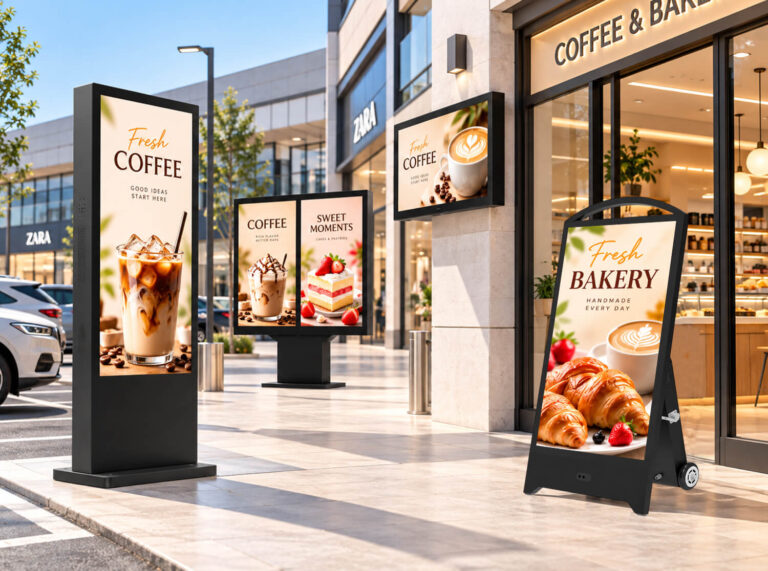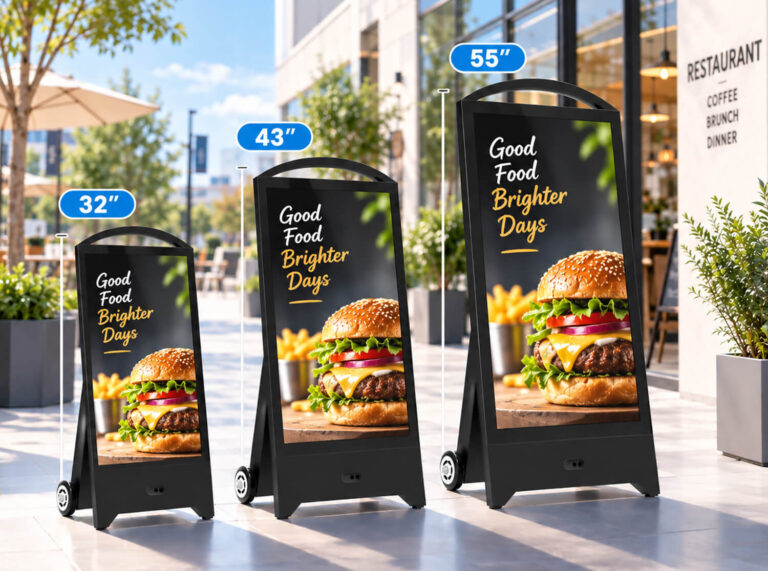
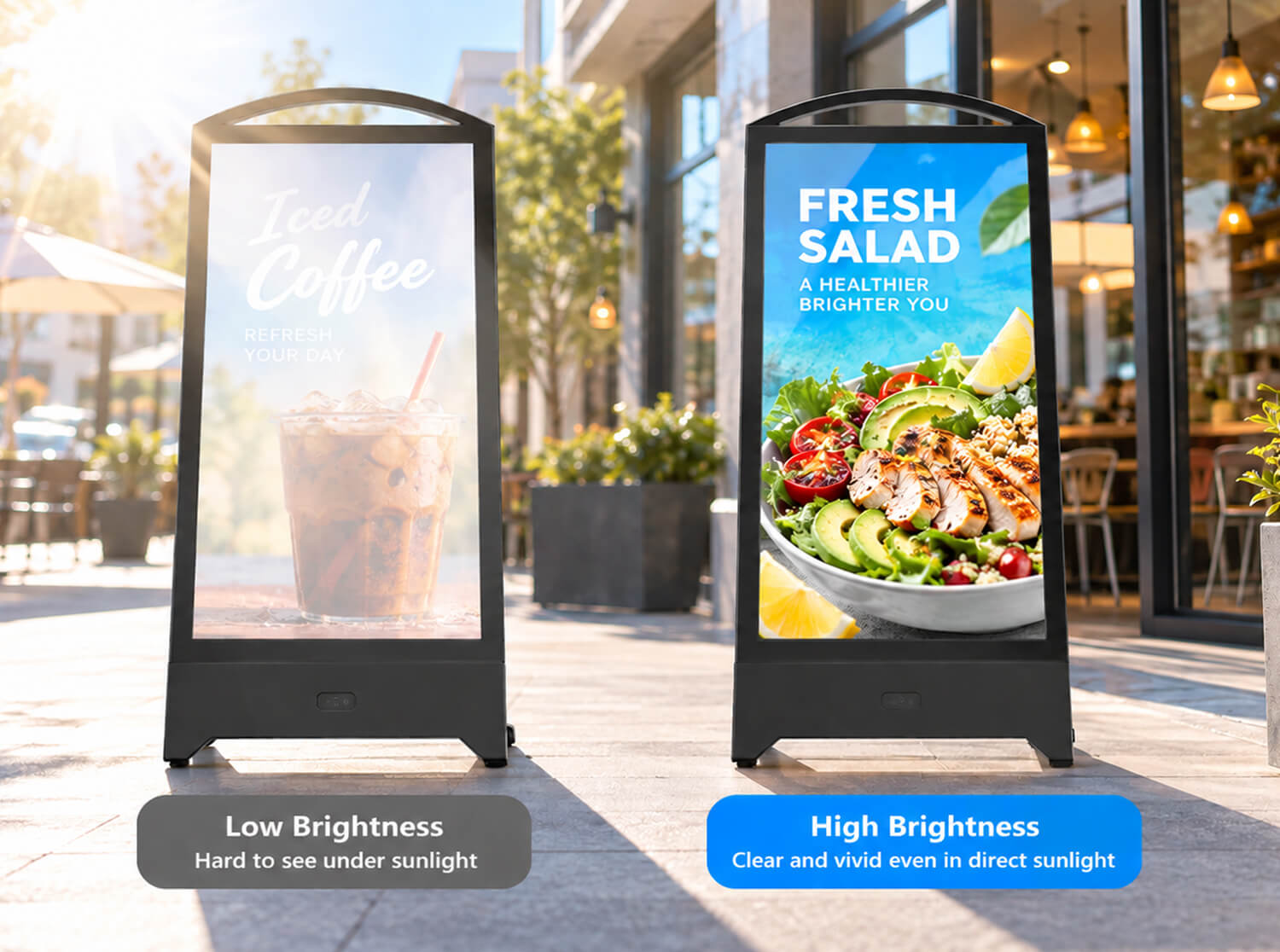
A portable outdoor digital sign can look excellent indoors. The colors are vivid, the text is sharp, and the screen seems more than bright enough.
Then you move it outside.Under strong daylight, the same display may suddenly look less vibrant. Reflections become more noticeable, dark areas lose contrast, and smaller text becomes harder to read. This is why brightness is one of the most important specifications to understand when choosing portable outdoor digital signage.
But there is another common mistake: assuming that the highest nit number is always the best choice.
For a portable, battery-powered outdoor digital A-board, brightness affects more than visibility. It can also influence power consumption, heat generation, battery runtime, and ultimately how practical the sign is to use throughout the day.So instead of asking, “What is the brightest outdoor display I can buy?” a better question is: “How many nits does my digital signage actually need for its installation environment?”
This digital signage brightness guide explains what nits mean, whether 1,500 nits is enough for outdoor use, when 2,000–2,500+ nits makes sense, and why sunlight readability depends on more than brightness alone.
What Are Nits in Digital Signage?
A nit is a unit used to measure display luminance. One nit is equivalent to one candela per square meter (cd/m²).
In practical terms, the nit rating tells you how much light a display can produce. The higher the number, the brighter the screen is capable of appearing.
For indoor digital signage, extremely high brightness is usually unnecessary because the screen operates in a relatively controlled lighting environment. Once a display moves outdoors, however, it has to compete with much stronger ambient light.
This is particularly important for portable outdoor digital signage. A digital A-board may be used outside a coffee shop in the morning, moved to a retail entrance in the afternoon, or positioned near a hotel, restaurant, exhibition hall, or event entrance. The amount and direction of sunlight can change significantly throughout the day.
Under strong daylight, reflected light from the cover glass can reduce perceived contrast and make the screen appear washed out even when the LCD itself has a relatively high brightness rating.
That is why descriptions such as “high brightness” and “sunlight readable” should not be treated as specifications by themselves. When comparing products, ask for the actual brightness rating in nits or cd/m².
How Many Nits Do You Need for Outdoor Digital Signage?
There is no single brightness specification that is correct for every outdoor installation.
A digital A-board positioned beneath a café awning does not face the same conditions as one standing in an open plaza under strong afternoon sunlight.
For portable outdoor LCD signage, the following ranges can be used as a practical starting point:
| Installation Environment | Practical Brightness Reference | Main Consideration |
| Indoor / controlled lighting | 350–700 nits | High brightness generally unnecessary |
| Bright indoor / near windows | 700–1,500 nits | Reflections and incoming daylight |
| Covered entrance / shaded outdoor | 1,000–1,500+ nits | Ambient daylight without prolonged direct sun |
| Typical outdoor digital A-board use | 1,500–2,000 nits | Balance visibility, power and usability |
| Strong sunlight exposure | 2,000–2,500+ nits | Brightness and reflection control |
| Demanding direct-sun installations | 2,500+ nits or site-specific evaluation | Evaluate glass, cooling and power together |
These figures should be treated as selection references rather than universal minimum requirements.
The correct brightness depends on the installation site, screen orientation, duration of sun exposure, surrounding reflections, content design, and the optical construction of the display.
A buyer may see one supplier advertising 1,500 nits and another advertising 2,500 nits and assume that the second display is automatically better. For a portable outdoor sign, that is not necessarily the case.
The goal should be to choose enough brightness to keep the content readable in the intended environment without unnecessarily increasing power consumption, heat, or cost.
Is 1,500 Nits Enough for Outdoor Digital Signage?
Yes, 1,500 nits can be suitable for many outdoor digital signage applications, particularly for portable digital A-boards used in shaded or partially exposed commercial environments.
Examples include signs positioned beneath storefront awnings, outside covered restaurant entrances, near hotel doors, along shaded pedestrian areas, or in locations where direct sunlight reaches the screen only for limited periods.
This is one reason 1,500-nit configurations are commonly found in the portable outdoor digital A-board market.
However, “outdoor” covers a very wide range of environments. A 1,500-nit display positioned under a canopy may remain clear throughout the day, while the same screen facing strong afternoon sun may struggle with reflections and reduced perceived contrast.
For locations that experience prolonged or intense direct sunlight, moving toward 2,000–2,500 nits or higher may provide additional visibility headroom.
When Should You Choose 2,000–2,500+ Nits?
Higher brightness becomes more valuable as ambient light and direct sun exposure increase.
Imagine two cafés using the same portable digital A-board. One places the sign beneath a covered entrance; the other places it on an open sidewalk facing strong afternoon sun. Even though both are using the display outdoors, their brightness requirements are different.
The second location is much more likely to benefit from a 2,000–2,500+ nit configuration.
Higher brightness can also be useful when the sign is moved frequently between different environments. However, buyers should not automatically choose the highest number available, especially for battery-powered signage.
How Brightness Affects Battery Runtime in Portable Digital Signage
This is one of the biggest differences between a portable digital A-board and a conventional fixed outdoor display.
A fixed outdoor digital kiosk can normally draw continuous power from the building. A portable digital A-board may rely on an internal rechargeable battery for part or all of its operating time.
A higher-output LCD backlight generally requires more electrical power and can also increase the amount of heat the system needs to manage.
For a battery-powered sign, running the display at maximum brightness when it is not actually necessary can therefore reduce practical operating time between charges.
The ideal specification is not maximum brightness. It is enough brightness for the intended environment while maintaining practical battery runtime, thermal stability, and portability.
Why More Nits Do Not Always Mean Better Sunlight Readability
Brightness is important, but it is only one part of outdoor visibility.
Two displays with the same 1,500-nit or 2,500-nit specification can look noticeably different when placed side by side outdoors.
What the customer sees is affected not only by the light produced by the LCD but also by light reflected from the display surface. Contrast, front-glass treatment, optical construction, and screen orientation all matter.
Contrast Matters in Strong Daylight
Outdoor ambient light can make the dark areas of an image appear lighter, reducing perceived contrast.
This matters particularly for menu prices, promotional messages, opening hours, QR codes, and directional information.
Customers often look at a portable digital sign for only a few seconds. The screen therefore does not simply need to be bright; the information needs to be immediately readable.
Small gray text on a complex photograph can remain difficult to read even on a high-brightness display, while large high-contrast text may remain clear at a lower brightness.
Anti-Glare and Anti-Reflective Glass: Why They Matter
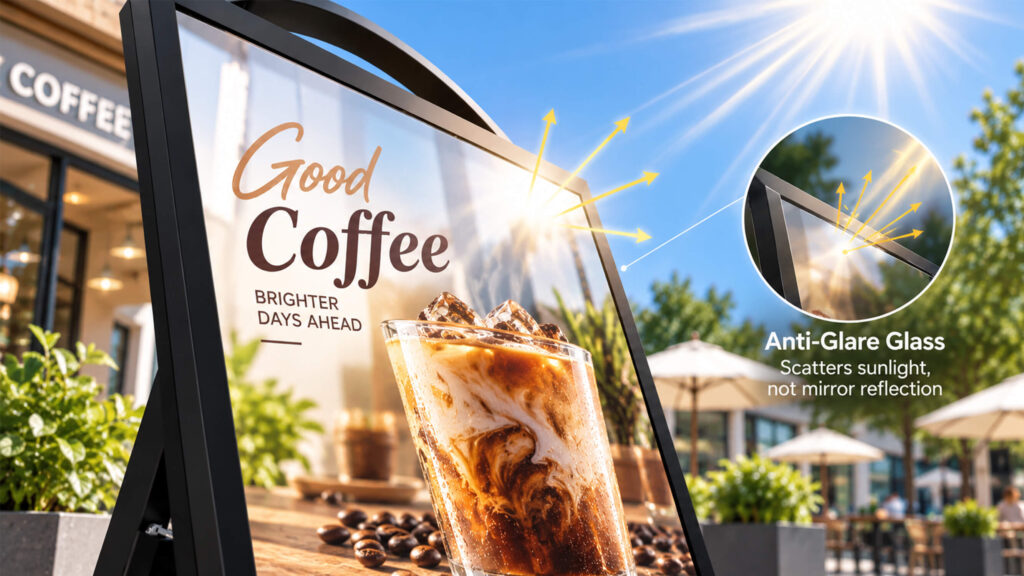
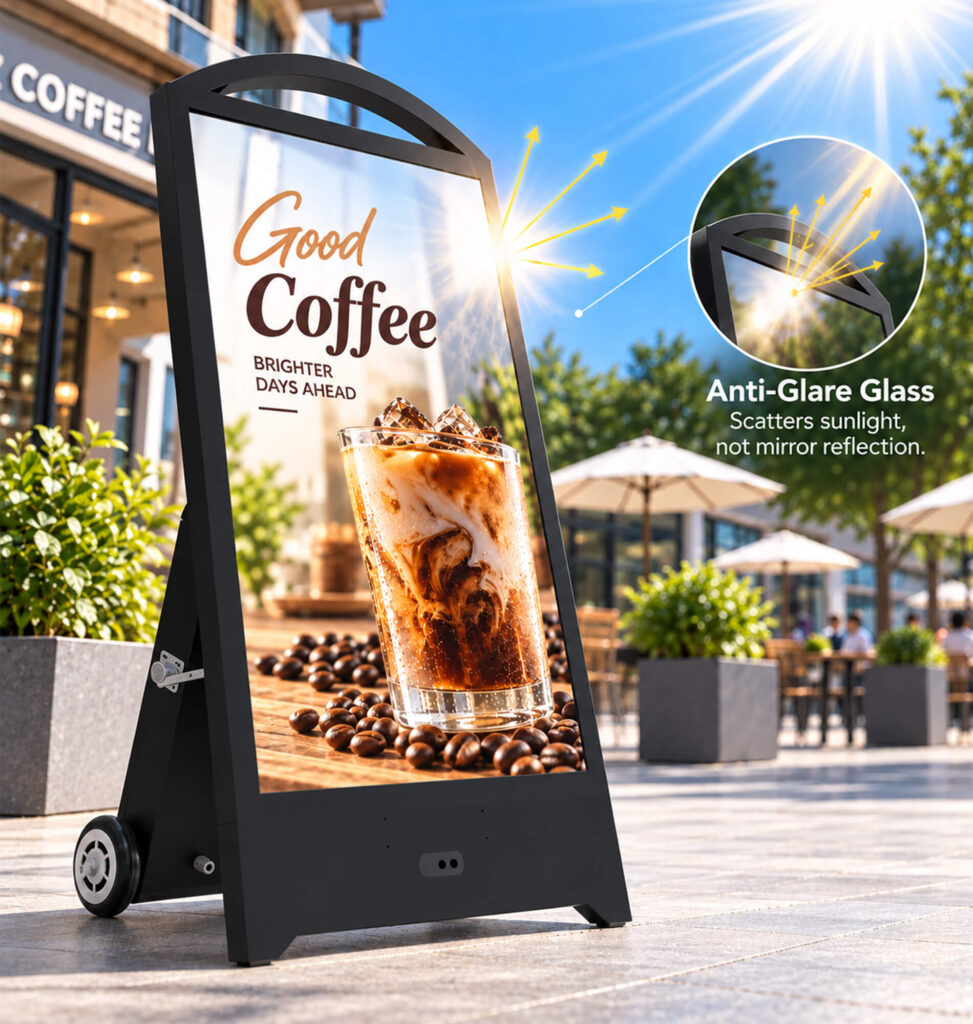
Reflections are one of the biggest enemies of outdoor LCD visibility.
Under certain lighting conditions, a glossy protective surface can reflect the sky, buildings, cars, windows, or even the person standing in front of the display.
This is where anti-glare (AG) or anti-reflective (AR) treatments can help. Although the technologies are not identical, both are intended to manage unwanted reflected light and improve viewing performance.
A well-designed outdoor display should be evaluated as a complete optical system rather than as an LCD panel with a large nit number.
Does Optical Bonding Improve Outdoor Visibility?
Optical bonding is another technology buyers may encounter when comparing sunlight-readable displays.
In a conventional LCD construction, there may be an air gap between the display module and protective cover glass. Optical bonding uses a transparent bonding material between these layers, reducing the air gap and helping to control internal reflections.
The result can be improved perceived contrast and visibility under strong ambient light. However, optical bonding should not be treated as a substitute for adequate brightness.
Think of optical bonding as one part of a larger system: brightness + contrast + reflection control + optical construction = real-world readability.
What Does “Sunlight Readable” Actually Mean?
“Sunlight readable” is a useful description, but buyers should be careful about treating it as a standardized brightness category.
A display may combine high brightness with anti-glare treatment, optical bonding, strong contrast, or other optical improvements. Actual performance still depends on the environment.
For a large B2B order, requesting a daylight demonstration using a production-equivalent unit can be particularly useful.
Why Automatic Brightness Adjustment Can Be Useful
Outdoor lighting rarely stays constant. A portable digital A-board may operate in bright sunshine at noon, under cloudy conditions later, and in much lower ambient light during the evening.
Some outdoor digital signage systems use an ambient light sensor to adjust screen brightness according to surrounding conditions.A Brief Explanation of the Principle:Outdoor billboards automatically increase screen brightness during the day when sunlight is strong and lower it at night when ambient light is dim. This feature ensures better visibility while saving energy and extending the screen’s lifespan—operating on the same principle as the automatic brightness function on smartphones.
For portable battery-powered signage, this can help avoid unnecessary power use and can also improve viewing comfort after dark.
Buyers should not assume that every outdoor display includes this function. Ask whether brightness adjustment is automatic, manually adjustable, or fixed.
Brightness Requirements for Different Commercial Applications
| Application | Typical Lighting | Buyer Priority |
| Café / restaurant entrance | Covered or partially exposed | 1,500-nit class may be sufficient; check reflections and hours |
| Retail storefront | Variable daylight and glass reflections | Brightness + anti-glare performance |
| Hotel entrance | Often shaded / canopy | Visibility + appearance + battery runtime |
| Outdoor event / exhibition | Highly variable | Flexible brightness + portability + battery capacity |
| Sidewalk advertising | Potential direct sunlight | Higher brightness + glare control |
| Drive-thru / exposed outdoor | Strong daylight for long periods | Higher brightness + thermal management + weather protection |
Brightness Is Not the Same as Outdoor Durability
A high-brightness display is not automatically an outdoor display.
Brightness determines whether customers can see the screen clearly. Outdoor durability determines whether the equipment can withstand the environment.
For portable outdoor digital signage, evaluate brightness alongside IP protection, operating temperature, enclosure construction, cooling design, battery system, and protective glass.
High-brightness LCD backlights generate heat, while solar exposure can heat the enclosure from outside. A reliable outdoor display needs thermal design capable of maintaining stable operation under its specified conditions.
How to Choose the Right Brightness Before Buying
Instead of starting with a nit number, start with the installation site.
Check where the display will stand during the brightest part of the day, whether sunlight directly hits the front glass, whether nearby surfaces create reflections, and whether the display will move between shaded and exposed locations.
Ask the supplier for the sustained brightness specification rather than relying only on descriptions such as high brightness.
For battery-powered models, compare battery runtime under realistic operating brightness. A quoted maximum runtime may not represent continuous operation at maximum screen brightness.
If daytime visibility is critical, request a real outdoor demonstration or sample test under realistic lighting conditions.
FAQ: Digital Signage Brightness
Is 1,500 nits bright enough for outdoor digital signage?
For many portable outdoor applications, yes. It can work well at covered entrances, shaded locations, storefronts, restaurants, hotels, and environments without prolonged intense direct sunlight. More exposed locations may benefit from higher brightness.
Is 2,500 nits enough for direct sunlight?
A 2,500-nit display can provide strong daylight visibility in many applications, but the number alone cannot guarantee direct-sun performance. Reflections, front-glass treatment, optical bonding, orientation, contrast, and content design also matter.
What brightness is best for a portable digital A-board?
For many commercial outdoor A-board applications, 1,500–2,000 nits is a useful range to evaluate, while 2,000–2,500+ nits may be appropriate for stronger sunlight exposure.
Does higher screen brightness reduce battery life?
Higher LCD backlight output generally requires more power, so continuous operation at higher brightness can affect battery runtime. Actual impact depends on the complete product design.
What is the difference between high brightness and sunlight readable?
High brightness mainly refers to luminance measured in nits. Sunlight readability describes the practical ability to see content under strong ambient light and can also depend on anti-glare treatment, bonding, contrast, and content design.
Does optical bonding increase screen brightness?
No. It does not directly increase rated nit output. It can reduce optical interfaces and internal reflections, improving perceived contrast and readability.
Is high-brightness digital signage automatically waterproof?
No. Brightness and environmental protection are separate specifications. Check IP rating, operating temperature, cooling design, protective glass, and other outdoor specifications.
Final Thoughts: Don’t Buy the Highest Nit Number — Buy the Right One
When selecting portable outdoor digital signage, it is easy to turn brightness into a numbers competition: 1,500 nits, 2,000 nits, 2,500 nits. Which one is better? The answer depends on where the display will actually operate.
For a café entrance beneath an awning, a well-designed 1,500-nit display may provide all the visibility the business needs while maintaining practical power consumption and battery runtime.
For an exposed sidewalk or outdoor event location facing strong sunlight, additional brightness may be worth the extra power and thermal requirements.
In demanding conditions, brightness alone is not enough. Anti-glare treatment, optical construction, contrast, automatic brightness control, thermal management, weather protection, and content design all influence what customers actually see.
Do not ask only, “How many nits does it have?” Ask, “Will this display remain readable in my actual environment, and what does that brightness mean for battery runtime and long-term outdoor operation?”
Need Help Choosing the Right Brightness?
If you are sourcing portable outdoor digital signage for a retail store, restaurant, hotel, event, or commercial project, share your installation environment, expected sunlight exposure, operating hours, and required screen size with our team. We can help you compare suitable brightness configurations and choose a solution that balances outdoor visibility, battery runtime, portability, and operating reliability.
How to Choose the Right Portable Digital Signage for Your Business