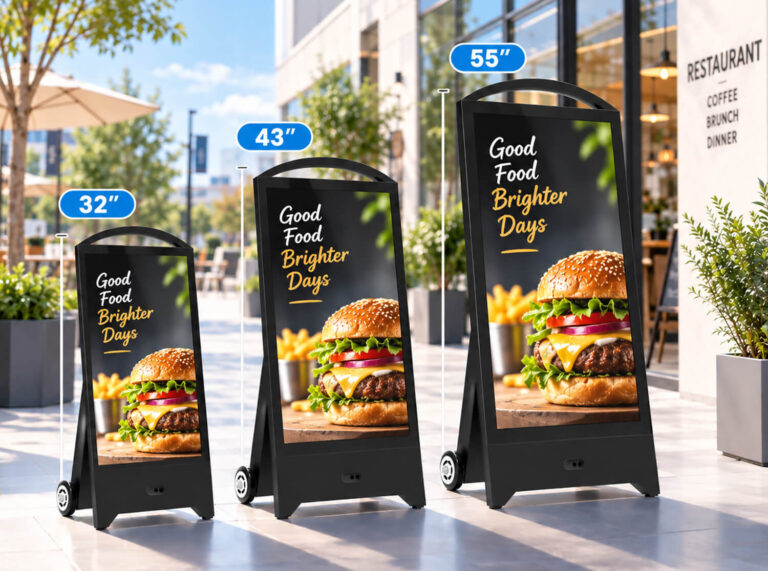
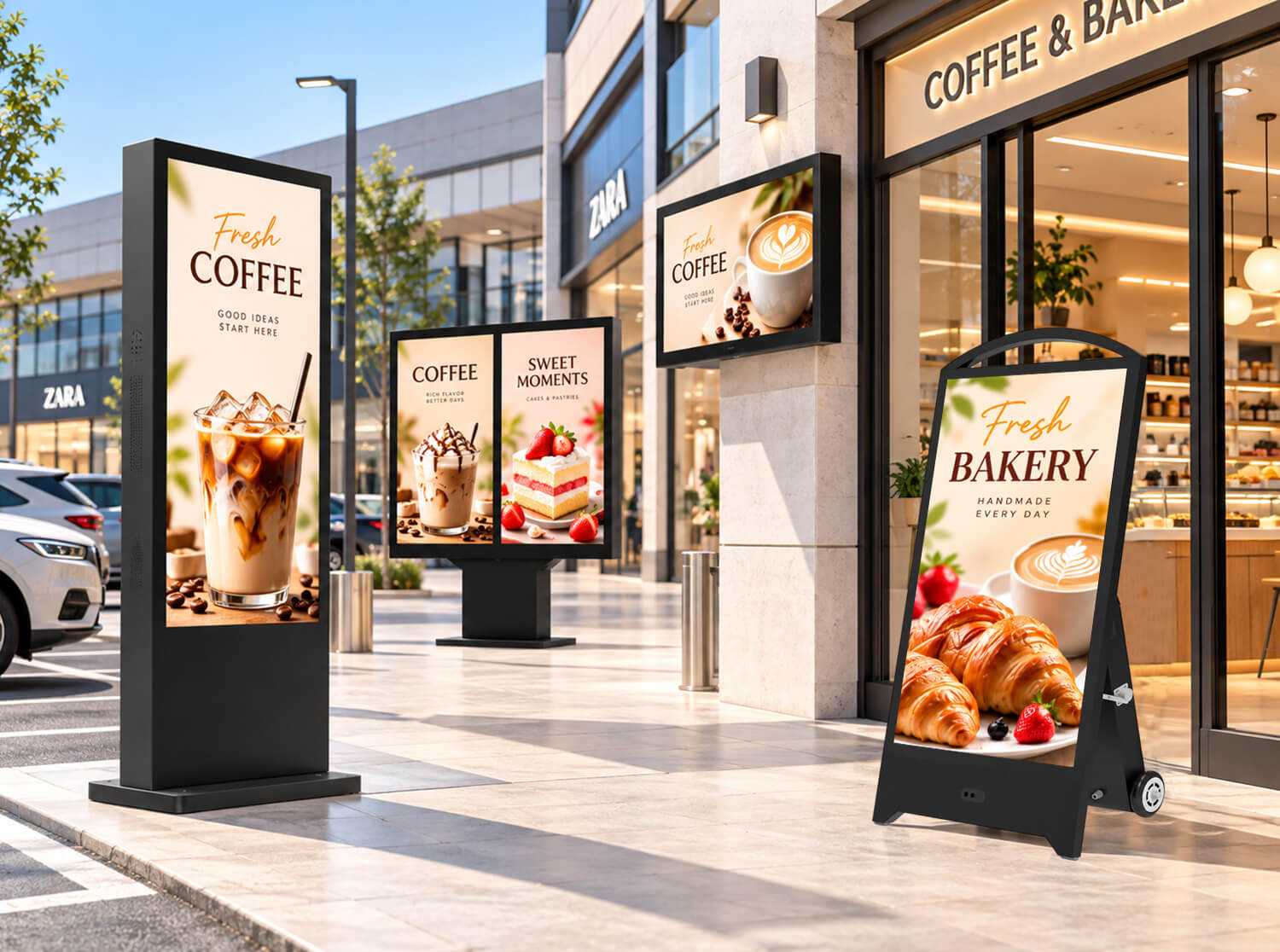
Outdoor digital signage is often evaluated by one prominent specification: brightness. Yet a display rated at 3,000 nits does not necessarily deliver better outdoor visibility than one with a lower luminance rating. Direct sunlight, reflections from protective glass, viewing distance, and the content displayed can all influence how clearly an audience sees the screen. Consider a portable LCD advertising display outside a retail store: in strong afternoon sunlight, it may need higher luminance to remain legible, while at dusk the same output can consume unnecessary energy and feel excessively bright. For battery-powered signage, this balance also affects operating time.
Commercial outdoor display design illustrates why luminance is a system-level requirement. For example, Samsung’s published OH46B specifications identify 3,500 nits of typical luminance and an automatic brightness sensor for changing light conditions . That is a model-specific specification, not a universal brightness recommendation. For distributors, AV integrators and commercial buyers, this guide goes beyond a product-specific “how many nits” answer to compare LCD and LED signage, real-world readability, finished-display measurement, glare management and brightness controls. It also examines how customer feedback shaped YINGLUX’s portable LCD brightness-control design.
1. How Bright Should Outdoor Digital Signage Be?
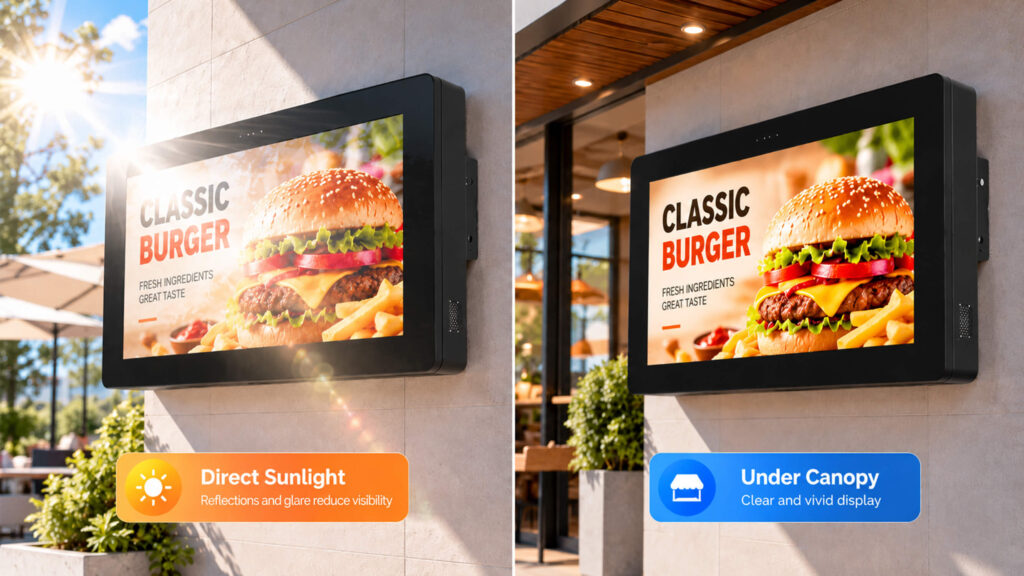
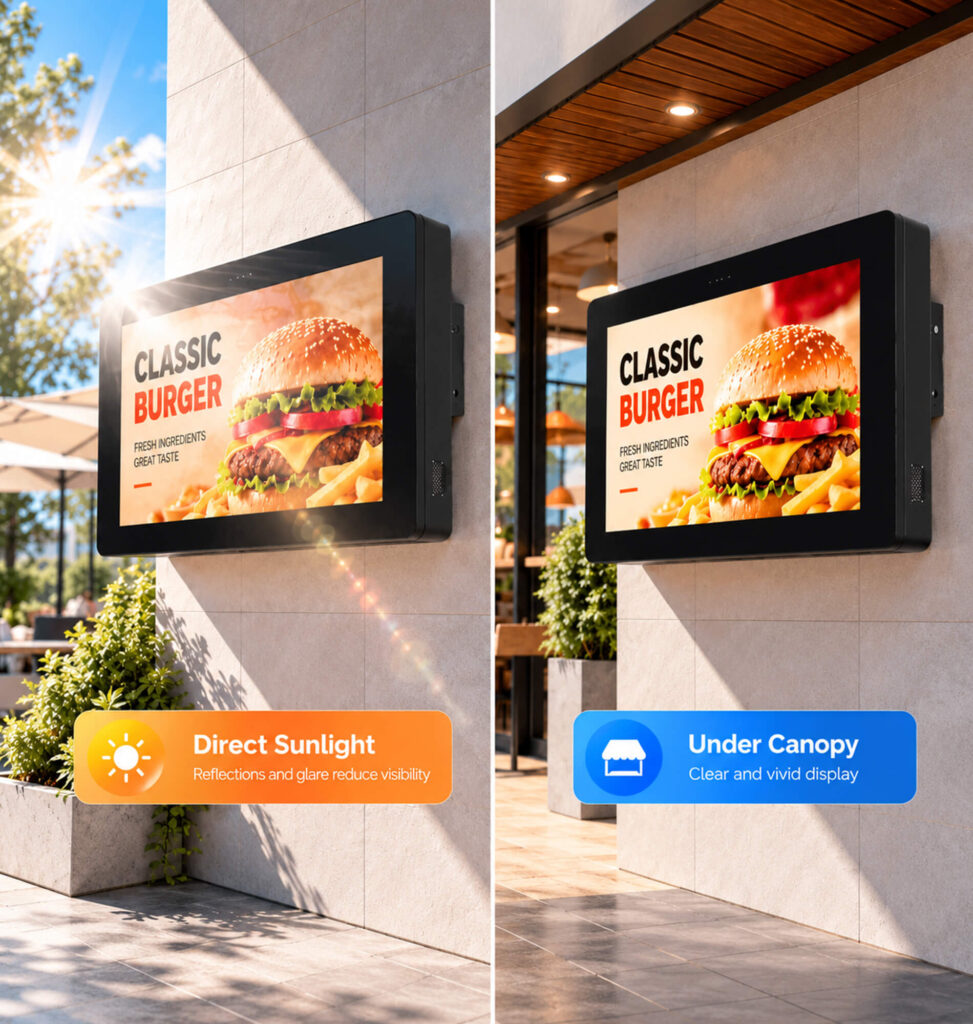
Luminance is commonly expressed in nits (cd/m²). Outdoor LCD displays typically need more luminance than ordinary indoor screens to compete with ambient light, but “outdoor” is not a single lighting condition. A display under a canopy faces different challenges from one exposed to direct afternoon sun.
| Installation environment | Preliminary LCD reference | Key evaluation factors |
| Bright indoor area near windows | 700–1,500 nits | Window reflections and indoor lighting |
| Covered outdoor entrance | 1,500–2,500 nits | Indirect daylight and viewing angle |
| Partly sun-exposed outdoor location | 2,000–3,500 nits | Changing sun and reflected glare |
| Direct-sunlight installation | 3,000–5,000+ nits | Readability, thermal design and reflections |
The table above is a preliminary LCD-only selection aid, not a standard, a guarantee of readability, or a specification for LED poster/taxi-top displays. Its numeric bands are planning heuristics, not measured YINGLUX performance data. Request actual finished-unit tests and consider manufacturer specifications as individual product examples rather than universal thresholds.
2. Outdoor LCD vs. Outdoor LED: Why the Brightness Checklist Changes
Outdoor LCD signage relies on a backlight viewed through an LCD panel and, often, protective cover glass. Buyers should ask whether luminance is measured at the finished front surface, and assess glass reflections, backlight control and heat-related dimming. These issues matter for portable LCD advertising signs, digital A-frame displays, drive-thru menu boards and solar-powered LCD installations.
Direct-view LED signage creates images with emissive LED pixels. The key questions extend beyond nits to pixel pitch, native pixel dimensions, content legibility at the intended viewing distance, brightness calibration, uniformity, and the effect of sunlight on the module surface. An LED poster or taxi-top LED unit should not be judged using LCD cover-glass assumptions.
For both technologies, the supplier should identify whether a quoted value is typical or peak, how it was measured, whether it represents a finished unit, and what output remains after sustained operation. LED and LCD nit values alone do not predict identical perceived contrast or viewing performance.
For a closer look at how pixel pitch, viewing distance and outdoor brightness interact in one LED format, see the LED poster display buying guide.
| Procurement check | Outdoor LCD signage | Direct-view outdoor LED |
| Optical visibility | Finished-unit luminance, cover-glass reflection, bonding | Module surface reflection, calibrated output, uniformity |
| Content detail | Native panel resolution, text size, viewing angle | Pixel pitch, native pixel canvas, viewing distance |
| Control & power | Backlight settings, dimming logic, battery/solar budget | LED drive settings, brightness calibration, power budget |
| Typical formats | Portable LCD signs, A-frames, menu boards, solar LCD | LED posters, taxi-top LED displays, outdoor LED panels |
3. How the Installation Environment Changes Readability
For vehicle-lane installations, small price text and the driver’s sightline are central concerns; the drive-thru menu board guide discusses the installation and viewing task in greater detail.
A display’s perceived contrast depends on emitted light and reflected ambient light. Direct sun, west-facing placement, glass façades, pale paving and parked vehicles can all increase glare. A high-brightness panel can still be hard to read if its cover glass reflects the surroundings.
Sun exposure and orientation
Before requesting a quote, document the installation direction, periods of direct sun and nearby reflective surfaces. A west-facing retail screen may experience intense low-angle sunlight late in the day; a hotel entrance under a canopy may be much more consistent. Portable signage moves among storefronts, exhibitions and temporary events, making adjustable brightness particularly valuable.
Viewing distance matters
A screen that looks acceptable at arm’s length may be difficult to read several meters away. For menus, retail offers and wayfinding, assess text, prices and logos from the actual customer positions—not only directly in front of the display. Brightness changes can affect the visibility of details at longer distances even when the near-field image still looks adequate.
4. Match Brightness Testing to the Content
For moving vehicle advertising, the audience may see the display only briefly. The double-sided taxi-top LED display is an example of a format where viewing time, motion and native resolution must be assessed alongside luminance; published product specifications should be confirmed for the ordered configuration.
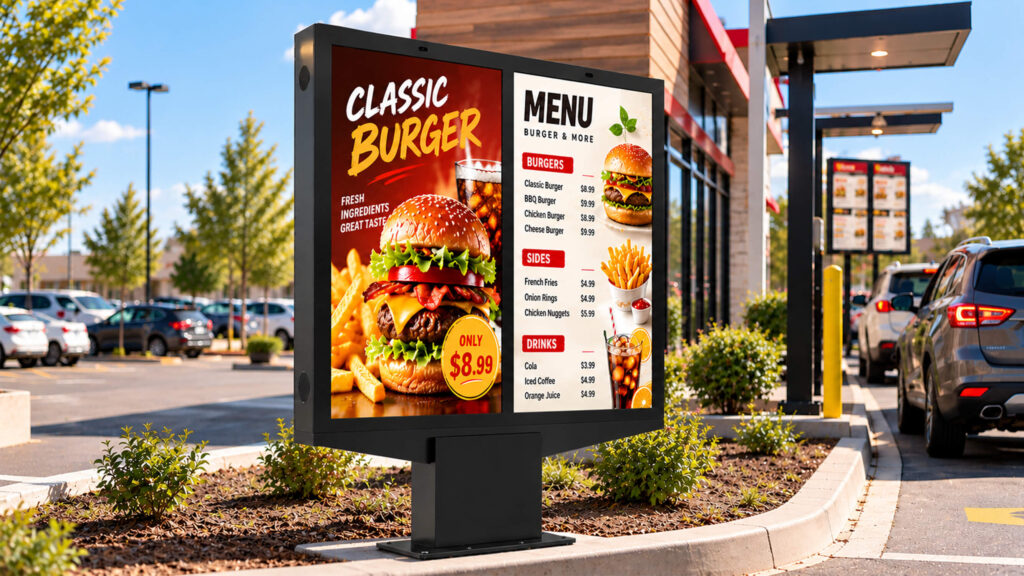
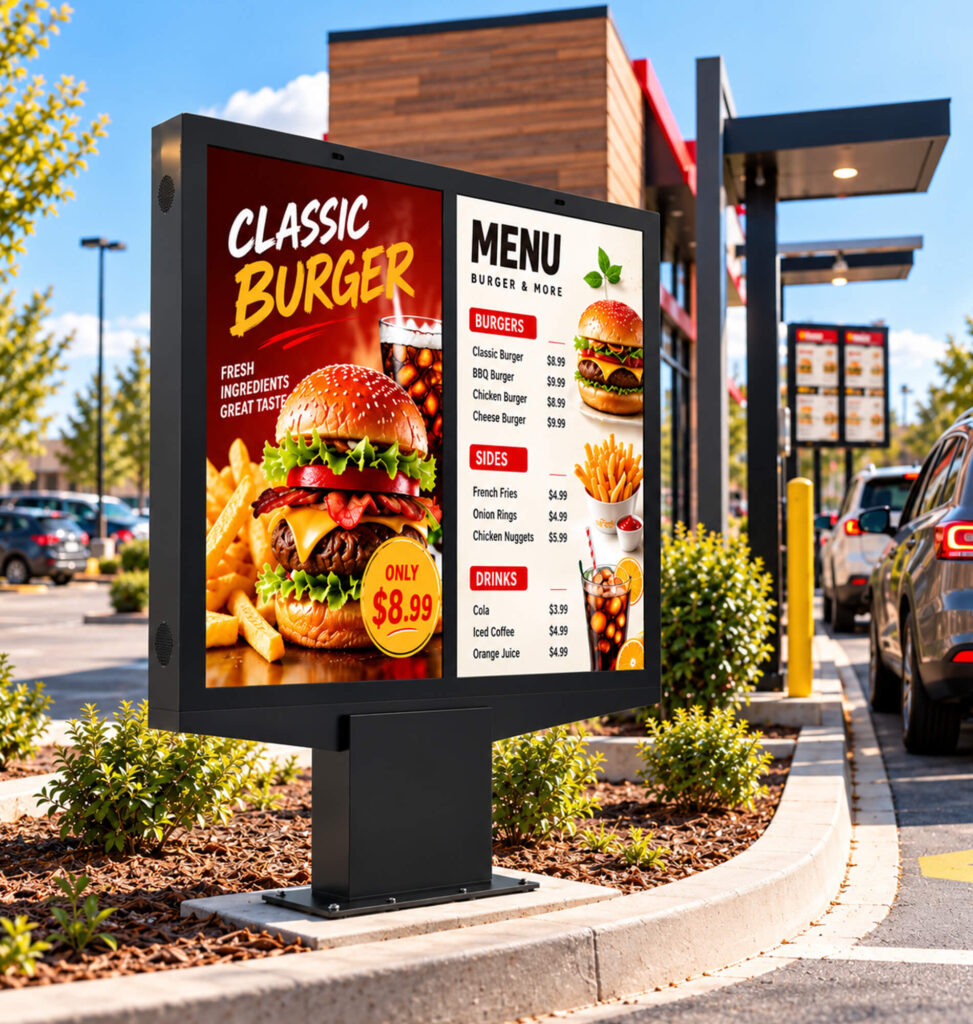
Large promotional images and short headlines are easier to recognize than dense menus or small prices. Brightness alone cannot compensate for thin fonts, poor contrast or an unsuitable layout. A dark background may appear washed out when sunlight reflects from the front glass.
| Test content | What to evaluate |
| Large advertising image | Overall visibility and color |
| Small text and prices | Readability at real viewing distances |
| Dark background with light text | Reflections and perceived contrast |
| White background | Uniformity and comfort |
| Brand logo | Color and detail reproduction |
| Motion video | Visibility across different scenes |
Ask suppliers to demonstrate the kind of material your business will actually display, ideally in both bright and dim conditions. A vivid demo animation is not a substitute for a realistic menu or advertisement.
5. How to Verify a Supplier’s Brightness Specification
Two displays advertised at 3,000 nits may have been measured differently. Confirm whether the number refers to a bare LCD panel or the finished unit behind protective glass, and whether it is typical or peak luminance. Glass transmission and optical interfaces can change the output measured at the front surface.
A practical verification procedure
Agree on the test method before measurement. Display a defined white test pattern, record the brightness setting and whether automatic dimming is enabled, and measure the finished screen with a suitable calibrated luminance instrument at agreed positions. Document the ambient temperature, operating duration, measurement geometry and equipment used. Then verify text and graphics from the real viewing distance under representative lighting.
For long-running outdoor applications, ask for evidence after the unit has reached a representative thermal state; a short showroom demonstration cannot establish sustained performance. ISO 9241-307 provides technical context for analysis and compliance test methods for electronic visual displays, but citing it does not establish that a product is certified.
| Evidence requested | What to confirm |
| Rated luminance | Typical or peak |
| Measurement surface | Bare panel or complete display |
| Test pattern and settings | Image, manual level and dimming state |
| Instrument and locations | Equipment, calibration and measurement points |
| Thermal conditions | Ambient temperature and operating duration |
| Site demonstration | Actual content and viewing positions |
6. Why Anti-Glare Glass and Optical Construction Matter
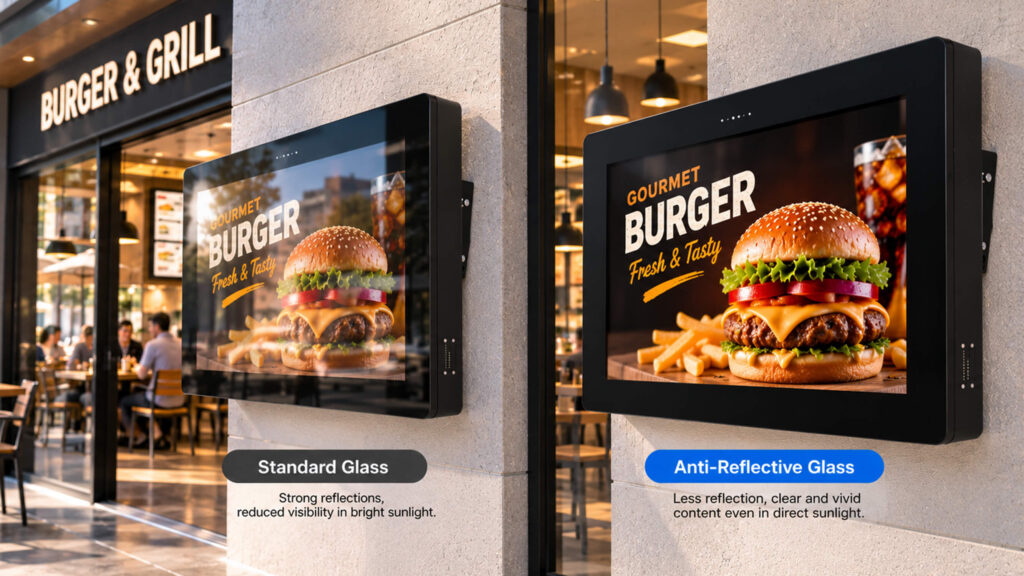
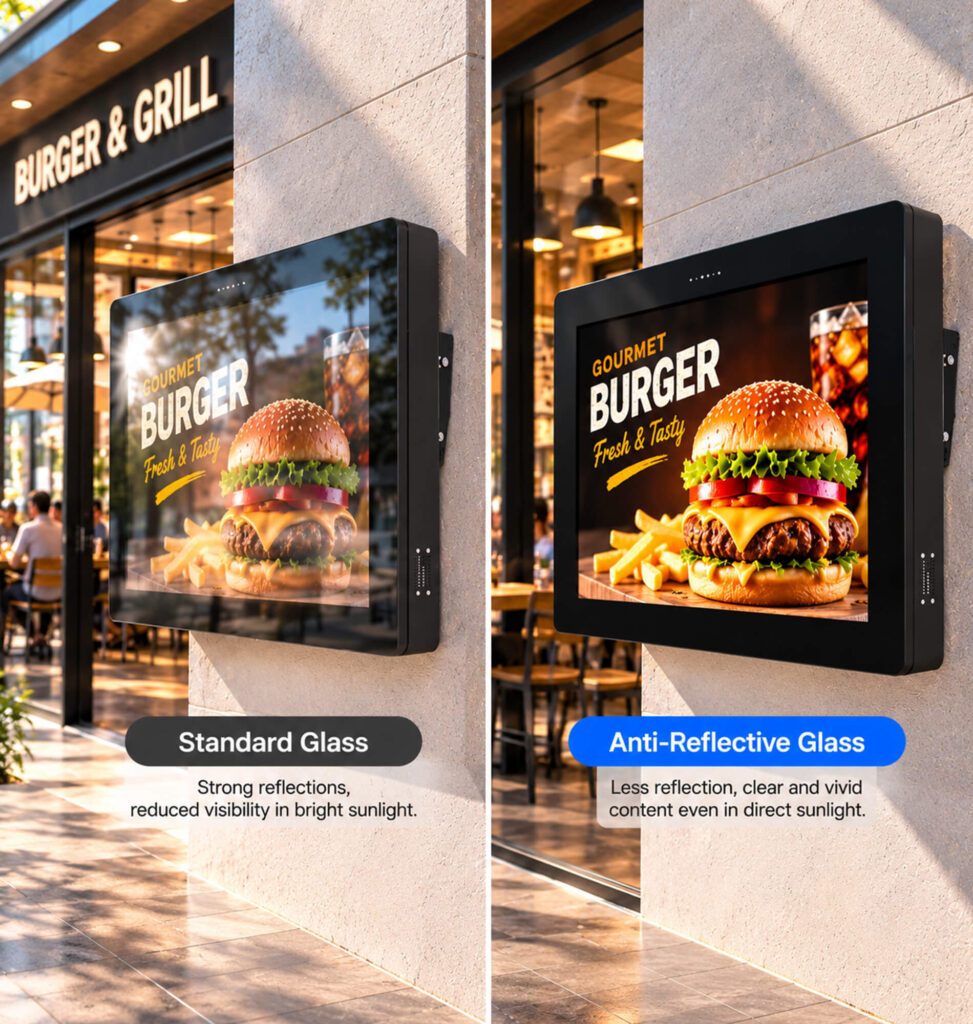
Outdoor readability depends on reflection control as well as emitted luminance. Anti-glare (AG) treatment generally spreads specular reflections so they are less mirror-like, but excessive haze can soften fine details. Anti-reflective (AR) treatment aims to reduce surface reflection. The two terms should not be treated as interchangeable.
Some outdoor LCD products use optical bonding to fill the gap between the cover glass and display module, reducing reflections at certain internal interfaces. Bonding cannot eliminate all glare or guarantee sunlight readability. Ask for finished-product reflectance or haze information where available, and compare real units under representative lighting rather than relying on a feature label.
7. Is Automatic Brightness Adjustment Always the Best Choice?
Portable signs are moved between storefronts and events, so brightness controls need to reflect real viewing distances. See the portable digital signage buying guide for broader placement and procurement considerations.
A small ambient light sensor mounted near the top of the YINGLUX portable LCD sign detects surrounding illumination, similar in principle to the automatic brightness function on a smartphone. When outdoor light becomes stronger, the display increases its brightness; when ambient light becomes weaker, it reduces brightness. This adaptive response can reduce unnecessary backlight power consumption, which matters for battery-powered signage. However, light measured at the sensor does not always reflect the visibility required by someone viewing an advertisement from farther away.
YINGLUX product experience: improving brightness control after customer feedback
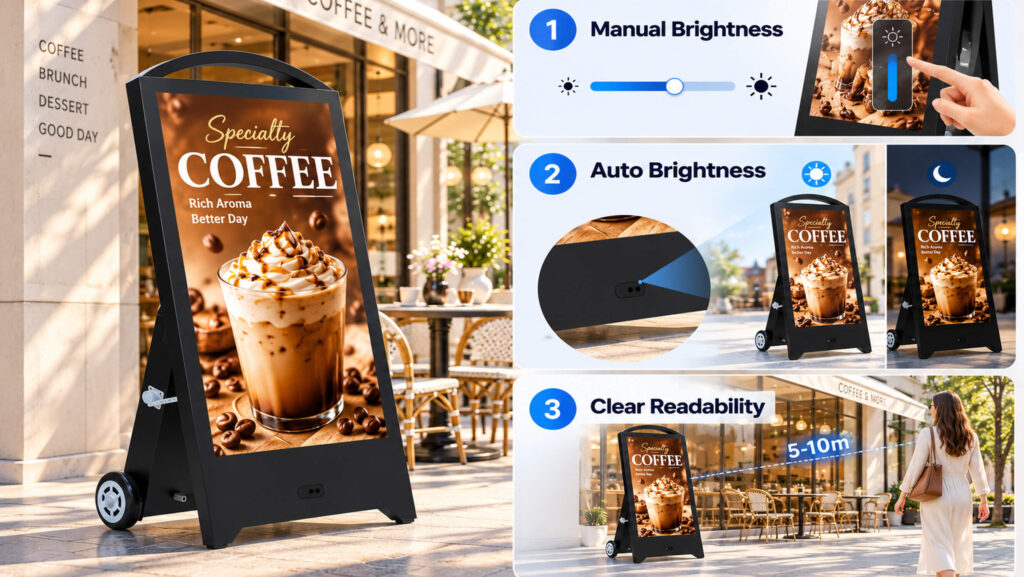
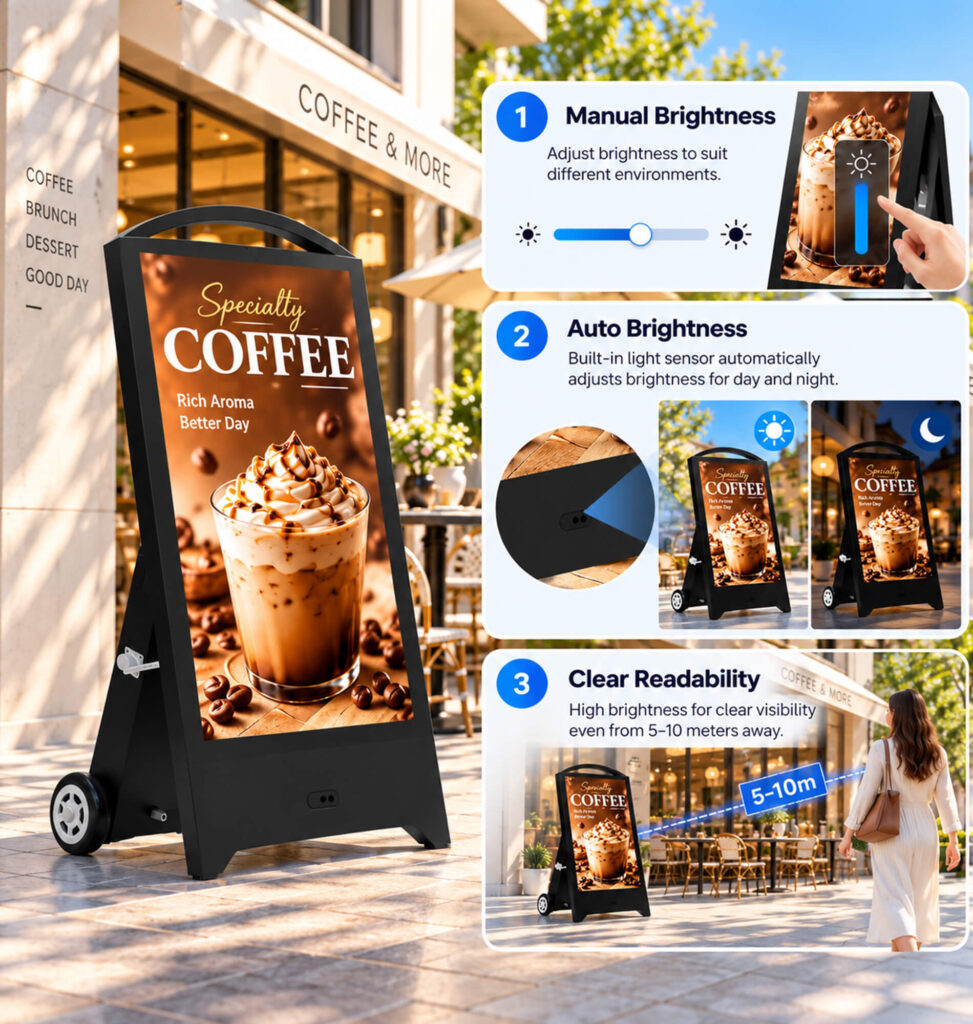
An earlier YINGLUX portable LCD brightness-control approach prioritized automatic adjustment to reduce unnecessary battery use and extend operating time. Customer feedback revealed an important trade-off: in some locations, automatic dimming made advertising content harder to recognize at a distance, even though it remained acceptable from nearby. The issue was not whether the sensor could detect changes in ambient light, but whether the resulting screen brightness matched the actual viewing task.
YINGLUX subsequently refined the brightness-control experience. Operators can use a remote control to adjust the screen to a suitable visible level for their content and viewing distance, while the display also supports automatic adjustment in response to changes detected by its top-mounted ambient light sensor. In bright outdoor conditions, the sensor-driven function raises brightness; in lower ambient light, it reduces brightness. Combining user adjustment with ambient-light response gives operators more flexibility to balance advertising visibility and battery use than relying on an automatic-only approach.
The product team should confirm the precise interaction between the remote-control setting and the automatic control algorithm for the model being published. The manual setting should not be described as a guaranteed minimum, maximum or fixed baseline unless verified. No fixed percentage of battery savings or improvement in viewing distance is claimed without comparable test evidence.
What this means for buyers
Do not stop at asking whether a display “has auto-dimming.” Ask whether users can set brightness manually, how automatic adjustment interacts with that setting, whether remote control is available, and what happens as ambient lighting changes. A more flexible control scheme can better serve advertising visibility and battery management than an automatic-only approach.
8. Brightness, Power Consumption and Battery Runtime
A fixed off-grid installation raises different questions from a movable battery-powered sign. The solar-powered outdoor digital signage illustrates why solar input, storage capacity and brightness management need to be considered as one system; verify configuration-specific claims before ordering.
For buyers who need to assess runtime rather than a marketing maximum, our battery-powered digital signage runtime guide explains what operating conditions to request from a supplier.
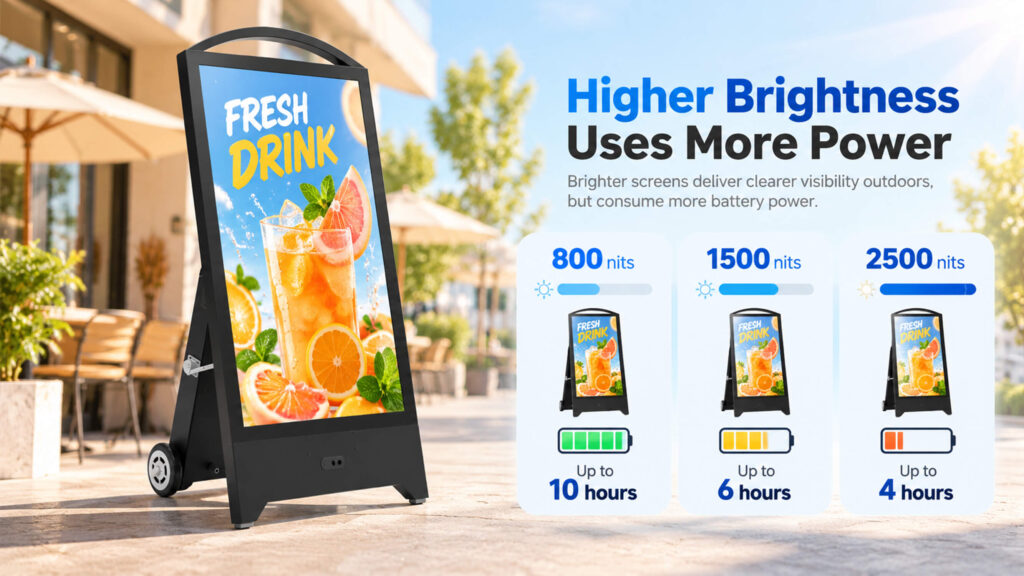
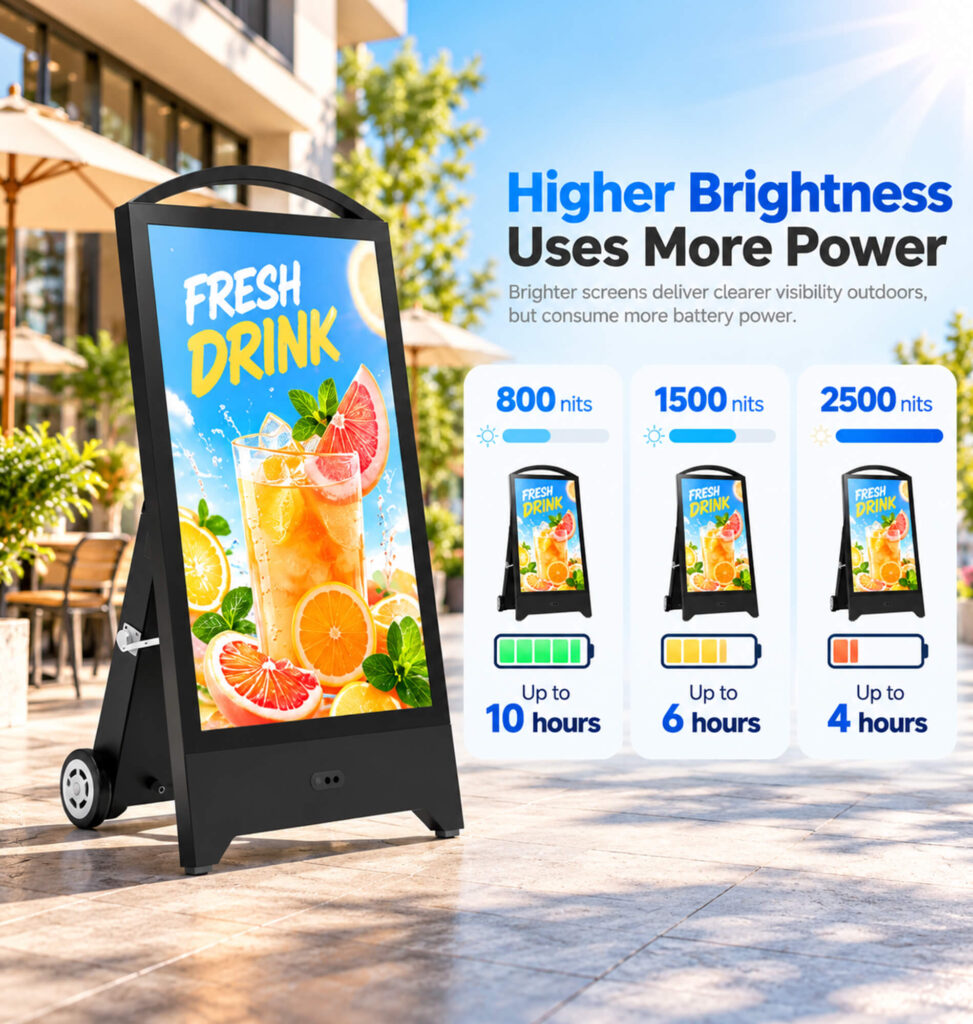
Lower LCD backlight output generally reduces backlight energy demand, but total system power also includes media electronics, communications and thermal-management components. A 50% reduction in brightness does not imply a 50% reduction in total power. For portable displays, a quoted “maximum runtime” is meaningful only when its test conditions are known.
| Runtime test variable | Information to record |
| Battery | Nominal voltage, capacity and energy |
| Brightness | Actual setting or measured luminance |
| Automatic adjustment | Enabled/disabled and control behavior |
| Content | Still image, video or mixed playback |
| Environment | Temperature and ambient lighting |
| Runtime | Defined start and stop conditions |
| Other loads | Player, network and cooling state |
Compare runtime at brightness levels that are actually acceptable for the intended use. A long runtime measured at a dim setting should not be presented as the expected duration in direct sunlight.
9. Heat Management and Long-Term Stability
Outdoor sealing is a separate requirement from optical readability. Our IP65 waterproof rating guide explains the protection rating and why it should not be confused with a sunlight-readability test.
High-brightness outdoor displays operate under internal heat loads and, sometimes, additional solar heating. Thermal protection may change performance, including limiting brightness. Ask suppliers for the operating-temperature range, cooling approach and evidence of sustained operation at relevant temperatures. A temperature rating alone does not prove that maximum luminance is maintained throughout the entire range.
Service access, cleanliness of optical surfaces, ventilation maintenance and documented troubleshooting also matter for distributors and integrators responsible for multiple installations.
10. Selecting Brightness by Business Application
| Application | Main challenge | Procurement focus |
| Retail entrance | Changing sun and storefront reflection | Contrast and glass treatment |
| Outdoor restaurant menu | Prices and small text | Viewing distance and legibility |
| Portable outdoor LCD sign | Relocation and battery runtime | Manual plus adaptive control |
| Hotels and event venues | Day/night differences | Flexible dimming and comfort |
| Outdoor advertising | Recognition from a distance | Brightness, layout and angles |
| Wayfinding | Accurate information recognition | Typography, contrast and glare |
There is no single best nit rating for all these applications. The installation and viewing task should drive the specification.
11. A Meaningful Pre-Purchase Display Test
For a sample or production-equivalent unit, begin with the real installation location, audience distance and intended content. Test representative text and imagery, not just saturated demonstration videos. Compare visibility in brighter and dimmer conditions, observe how the automatic brightness mode behaves, and compare it with a manually selected setting. For battery-powered equipment, record power or runtime at the tested brightness. Where the project requires it, include sustained operation under defined thermal conditions.
Document acceptance criteria before testing. “Bright enough for outdoors” is not a measurable requirement; agreed content, viewing positions, settings and conditions are far more useful for supplier comparisons.
Conclusion: Buy for Readability, Not Just Nits
Outdoor digital signage brightness should be judged as part of the complete display system. More nits may help in strong light, but cannot automatically solve reflections, unsuitable content, viewing-angle issues or thermal limitations. For battery-powered portable LCD signs, buyers must also balance visibility and operating time.
YINGLUX’s brightness-control improvement illustrates why practical customer feedback matters: adaptive technology should support the advertising task, not override it. Buyers should choose suppliers who can explain their specifications, show realistic tests and identify the trade-offs clearly.
Discuss Your Outdoor Signage Project with YINGLUX
YINGLUX supports overseas distributors, AV integrators and commercial buyers evaluating portable outdoor LCD signage, retail advertising displays and digital menu boards. Share your installation conditions, viewing distance, content and power requirements to discuss suitable product configurations and request a quotation.